
Planning Guides, Style Guide
Wedding Planning Sites: Best Online Platforms & Tools
Sep
The Platforms I Actually Use (And the Ones I Tell Clients to Skip)
Okay so The Knot is probably where most people start and honestly it’s not a bad choice for the basics. I’ve been using it since like 2015 and it’s gotten way better with their checklist feature. You can track your budget, manage your guest list, and they have this vendor directory that’s pretty massive. The thing that bugs me though is how many sponsored vendors show up first in searches – like I get it, they paid for placement, but sometimes you gotta scroll forever to find the actual good local vendors.
The Knot’s checklist is gonna be your best friend if you’re the type who needs everything spelled out. It tells you what to do and when, which sounds hand-holdy but trust me, when you’re juggling a full-time job and planning a wedding, you need someone to tell you that yes, you should’ve booked your photographer 8 months ago, not 3.
WeddingWire Is Kind of the Same But Different
WeddingWire merged with The Knot’s parent company a while back but they still operate separately which is… I dunno, kinda weird? They have similar features but I actually prefer WeddingWire’s vendor reviews because they feel more authentic. Less filtered maybe. The budget tool on WeddingWire breaks things down by category better than The Knot does, and you can see average costs in your area which is super helpful when clients come to me saying they want a full bar and seated dinner for 200 people on a $15k budget.
I had this bride in spring 2023 who only used WeddingWire for everything – didn’t even look at other platforms – and she was so organized it was almost scary. She had spreadsheets that connected to her WeddingWire account and I was like, okay, you clearly don’t need me for the organizational part.
Zola Is Where It’s At for Registries and Websites
If you want a wedding website that doesn’t look like it was designed in 2008, go with Zola. Their templates are clean, modern, and you can customize them without needing to know code or anything technical. Plus their registry is actually good – you can add items from any store, create cash funds for specific things like your honeymoon, and guests can contribute whatever amount they want to group gifts.
The website builder lets you add custom pages, RSVPs, event details, travel info, all that stuff. And the RSVP tracking connects to your guest list which saves so much time. I cannot tell you how many hours I used to spend cross-referencing RSVP cards with guest lists before these integrated systems existed.
One annoying thing about Zola is that their customer service can be slow. I had a couple whose registry had some technical issue right before their shower and it took like 3 days to resolve. Not ideal when Aunt Martha is trying to buy you that KitchenAid mixer.
Joy Is the Underrated Option
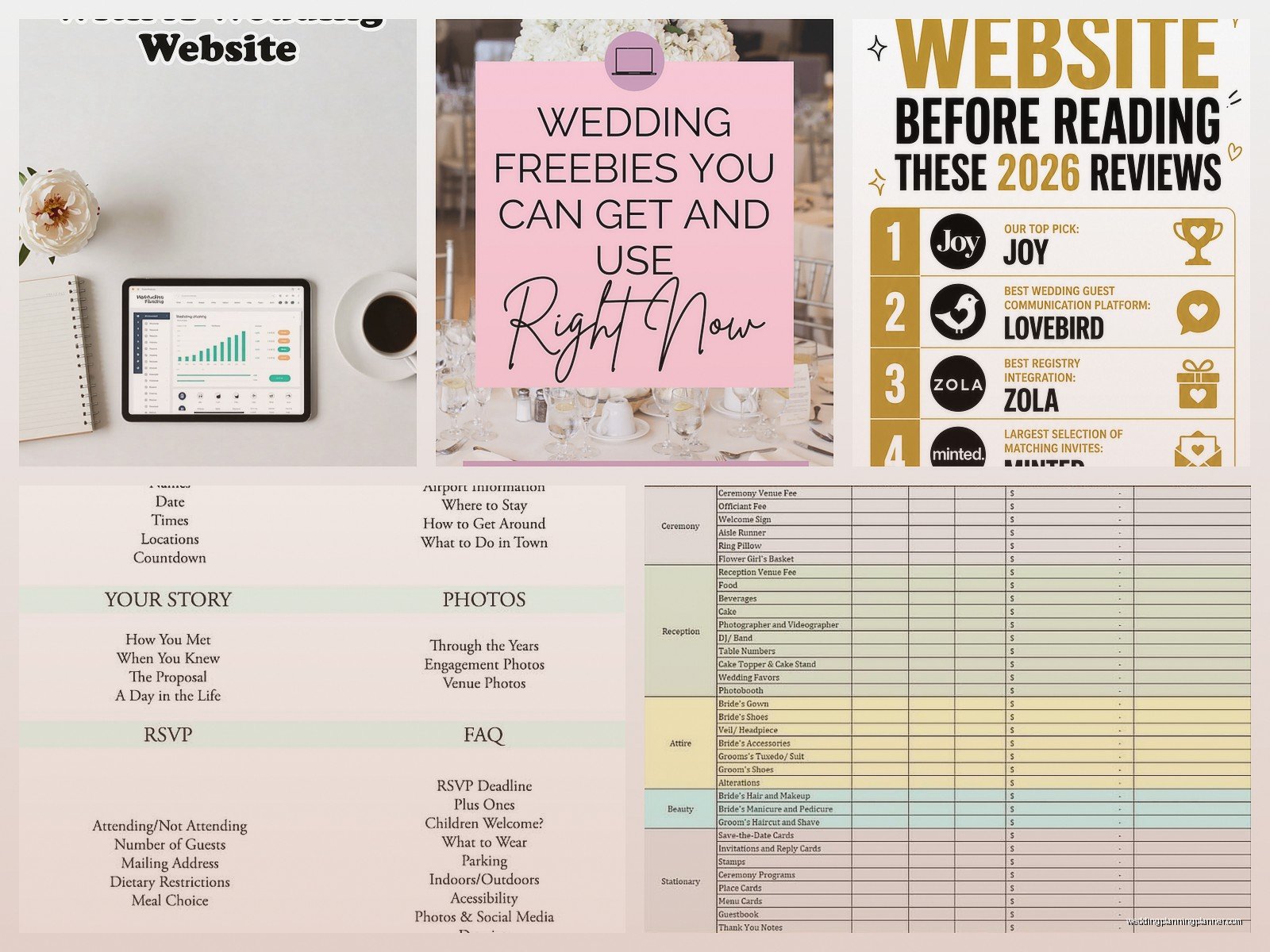
Joy is another wedding website platform that I actually recommend more than Zola sometimes because it’s completely free. No premium tiers, no hidden costs. You get a beautiful website, RSVP management, guest messaging, and even a pretty decent registry option. The templates aren’t quite as trendy as Zola but they’re still way better than most free options out there.
What I love about Joy is the guest communication feature – you can send updates to your entire guest list or specific groups, and it tracks who’s opened messages. Super useful for sending out reminders about RSVP deadlines or letting people know about last-minute changes.
Planning Apps That Live On Your Phone
Appy Couple is solid if you want everything in app form. Your guests download the app and they can see all your wedding info, RSVP, share photos, and there’s even a social feed where people can post stuff. Some couples love this, some think it’s too much to ask guests to download another app. I’m kinda in the middle – it works great for younger crowds who are already on their phones constantly, but if you have a lot of older guests they might find it confusing.
Wedding Happy is this newer app that combines planning tools with a social element. You can share updates with your wedding party, assign tasks, track who’s done what. It’s like a project management tool but make it weddings. I’ve started recommending it to couples who have large wedding parties because keeping track of 6 bridesmaids and 6 groomsmen and what everyone’s supposed to be doing is… well it’s a lot.
For the Detail-Obsessed People
Aisle Planner is more of a professional tool but couples can use it too. It’s what I use for my business actually – the timeline builder is incredibly detailed and you can create floor plans, manage vendors, track payments, all sorts of stuff. But it’s not free and the learning curve is steep. Most couples don’t need this level of detail unless you’re planning like a 300-person wedding with multiple events.
I will say the floor plan feature has saved my butt multiple times. Summer 2021 I had a wedding where the venue gave us wrong measurements and we didn’t realize until the week before. Being able to redesign the entire layout in Aisle Planner and share it with the venue and rental company immediately was the only reason we didn’t have a disaster.
Budget Trackers That Actually Work
Most of the big platforms have budget tools built in but if you want something more robust, Mint can work even though it’s not wedding-specific. You can create a wedding budget category and track all your expenses there. It connects to your bank accounts and credit cards so everything updates automatically.
There’s also this thing called WeddingWire’s Budget Tool which is separate from their main platform somehow? I don’t totally understand why they made it separate but whatever, it’s free and it shows you average costs for your area which helps with reality checks. You can adjust categories, add custom line items, track deposits and payments.
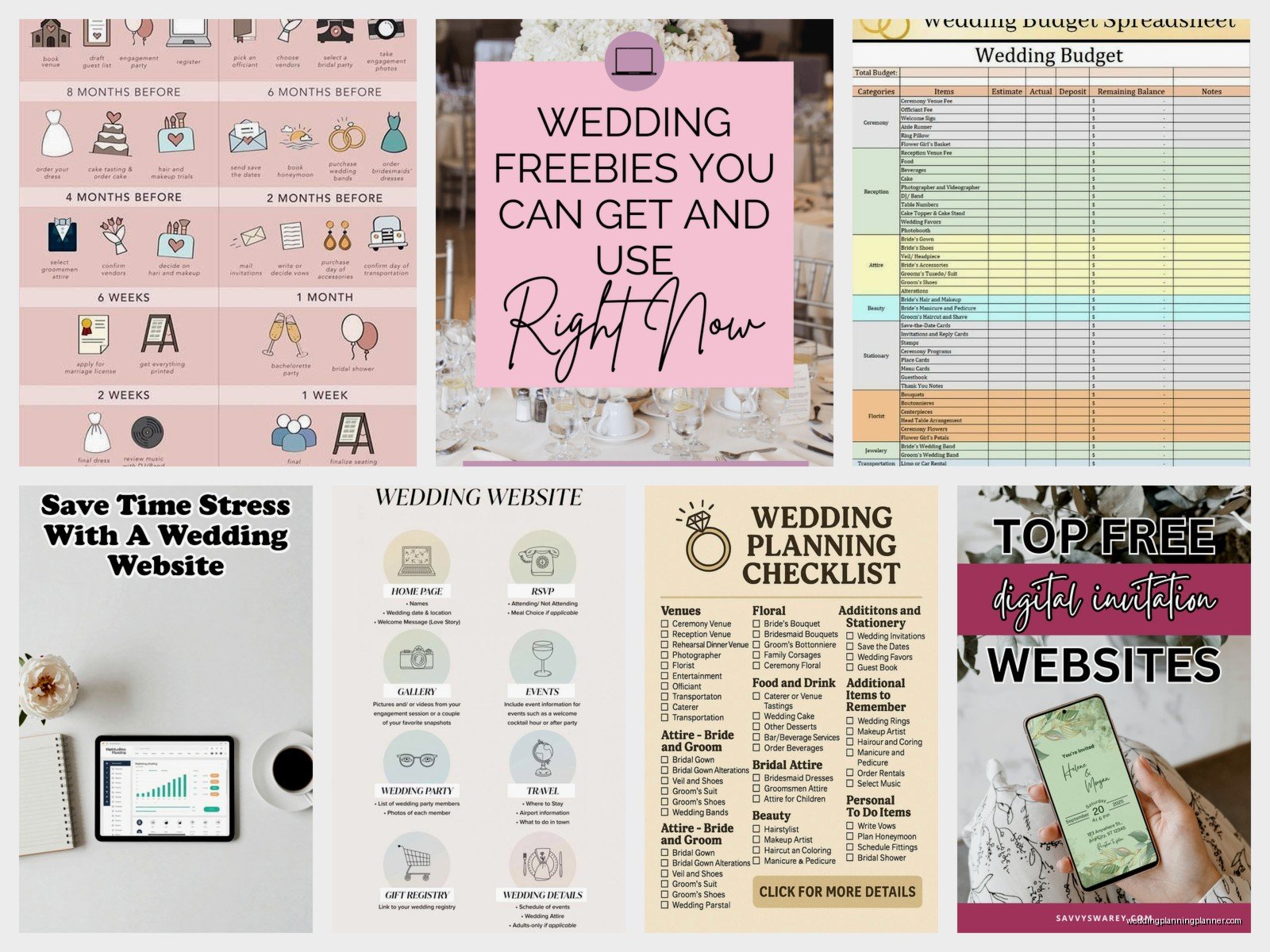
Honestly though a Google Sheet works fine too. I have a template I send clients that has formulas built in and… actually nah, most people mess up the formulas so maybe stick with the dedicated tools.
Guest List Management Gets Its Own Section Because It’s Terrible
Managing your guest list is the worst part of wedding planning, I said what I said. RSVPify is specifically designed for this and it’s pretty good. You can track RSVPs, meal choices, plus-ones, dietary restrictions, and it has this seating chart feature that’s way better than dragging names around in Excel.
The Knot and WeddingWire both have guest list tools that work fine for basic tracking. Where they fall short is when you need to manage complex family situations – like when you need to track that Cousin Jenny and Cousin Mike aren’t speaking and absolutely cannot be at the same table, or when you have multiple events and different guest lists for each.
My cat just knocked over my coffee while I’m writing this, perfect timing. Anyway – if you have a complicated guest list situation, sometimes going old school with a spreadsheet is actually easier because you can customize it exactly how you need.
Design and Stationery Platforms
This is my jam obviously. Minted and Paperless Post are my go-to recommendations for online invitations. Minted if you want physical invitations – their designs are gorgeous and the quality is excellent. They have actual designers creating the templates so nothing looks cheap or clipart-y. You can customize colors, fonts, wording, and they offer free recipient addressing which saves so much time.
Paperless Post is for digital invitations and they’ve really elevated what online invites can look like. Some of their designs are from actual stationery designers and brands, and you can do fancy stuff like envelope liners and multiple pages. Yes you have to pay for “coins” to send them which is kind of a weird system, but it’s still cheaper than printed invitations.
DIY Design Tools
Canva has wedding templates now and they’re… okay. If you’re on a really tight budget and you’re willing to put in the time, you can create decent-looking invitations and signage. But please, I’m begging you, don’t use their default fonts for everything. Customize it at least a little bit so your invitation doesn’t look exactly like 47 other weddings happening that same weekend.
Etsy templates are another option – you buy a template from a designer, edit it yourself in Canva or Templett, and then print it wherever you want. This gives you more unique designs than Canva’s free templates but you still have control over the final product and costs.
Vendor Management and Communication
HoneyBook is what a lot of wedding pros use and some couples use it too for keeping track of all their vendor contracts, payments, and communication. It’s like a CRM but for your wedding. Everything’s in one place – your contracts, invoices, messages, files. The downside is it’s designed more for businesses so some features don’t really apply to couples planning their own wedding.
A simpler option is just creating a dedicated email folder and Google Drive folder for wedding stuff. Not fancy but it works. I have couples who try to manage everything through text messages and then they lose track of important details because texts get buried. Don’t do that.
Inspiration and Idea Saving
Pinterest is still the king here even though everyone’s been using it forever. Create secret boards for different aspects of your wedding – one for flowers, one for dresses, one for reception decor, whatever. The visual search feature is actually really useful – you can click on items in pins and find similar images.
Instagram is good for finding real wedding inspiration and local vendors. Search hashtags for your city or venue and you’ll find tons of photos from actual weddings. Just don’t fall down the rabbit hole of looking at weddings with budgets 10x yours and then feeling bad about your own plans. That comparison thing will kill your joy real fast.
Timeline and Day-Of Coordination Tools
Wedding Mapper creates timelines and floor plans but it’s kinda clunky if I’m being honest. I tried using it for a while and went back to just building timelines in Google Docs because I could format them exactly how I wanted.
For day-of timelines that you share with your vendors and wedding party, a shared Google Doc actually works great. Everyone can access it from their phone, you can update it in real time if things change, and there’s no special app anyone needs to download.
Some couples use apps like Wedding Party Manager or LadyMarry for coordinating their wedding party specifically – tracking who’s gotten their dress, who’s paid for what, coordinating bachelor/bachelorette parties. These can be helpful if you have a large wedding party spread across different cities.
The Stuff That Doesn’t Quite Fit Anywhere Else
Honeyfund and Honeymoon registries – these are for cash funds specifically. Some people have opinions about asking for cash but honestly most couples would rather have money toward their honeymoon than another picture frame. These platforms let you create specific funds like “dinner in Paris” or “snorkeling excursion” which feels more personal than just “give us money.”
Venmo and PayPal work too for collecting money from your wedding party for group purchases or whatever, but they’re not really wedding-specific tools, they’re just… payment apps that happen to work for wedding stuff.
There’s this thing called WedSites that I keep seeing ads for but haven’t actually used with clients yet. It looks like another website builder but with more focus on storytelling and photo sharing. Might be worth checking out if the other options don’t feel right.
What really annoys me is when platforms make you create an account and enter a bunch of information just to see pricing or features. Like, just tell me what it costs and what it does without making me give you my email address and wedding date first. I get that it’s a marketing thing but it’s so annoying when you’re trying to compare multiple options quickly.
Free Versus Paid Tools
Most couples ask me if they really need to pay for any of these tools or if the free versions are enough. Honest answer – the free versions are usually fine for most people. You might see some ads, have fewer customization options, or miss out on some advanced features, but the core functionality is there.
Where paid versions make sense is if you have a complex wedding – like multiple events, a huge guest list, lots of vendors to coordinate, or if you just really want specific design features. I’ve had couples spend money on premium versions of tools they barely used, and I’ve had couples plan entire weddings using only free platforms and Google Docs.
Figure out what your actual pain points are first, then find tools that solve those specific problems. Don’t just upgrade to paid versions because you think you’re supposed to or because you saw some influencer recommend it. That’s how you end up with 5 different planning apps that all do basically the same thing and you’re paying for all of them.
