
Planning Guides, Style Guide
Wedding To Do Lists: Task Checklist Templates
Jul
Look, Wedding Checklists Are Not Optional
So you’re engaged and probably already drowning in Pinterest boards and everyone’s telling you different things and honestly a checklist is gonna save your sanity. I learned this the hard way in summer 2021 when I had a bride who swore she could “just remember everything” and then forgot to order her invitations until 6 weeks before the wedding. That was… a time.
The thing is, wedding to-do lists aren’t just about checking boxes. They’re about not waking up at 3am in a cold sweat wondering if you booked the florist or if that was just a dream. I’ve been doing this for almost two decades and I still use templates for my own events because there’s too much to remember and our brains are already full of like, Netflix passwords and grocery lists.
Why Templates Beat Starting From Scratch
You don’t need to reinvent the wheel here. Wedding planning has been happening for centuries and the tasks are pretty much the same whether you’re having 50 people or 300. Using a template means someone else already thought through all the weird little things like “order guest book pen” that you definitely would’ve forgotten.
I use templates with every single client because it keeps me organized but also because it shows them visually how much there actually is to do. When people see it all written out, they usually stop saying things like “oh we’ll just throw something together in three months” which honestly drives me crazy.
The Master Timeline Checklist
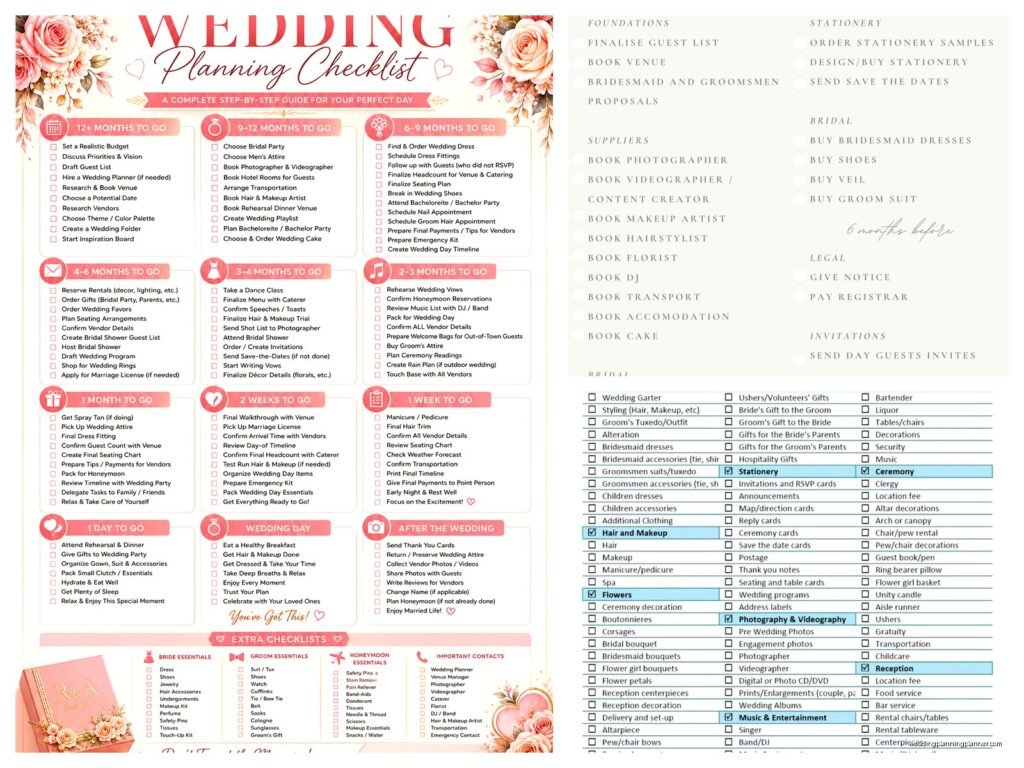
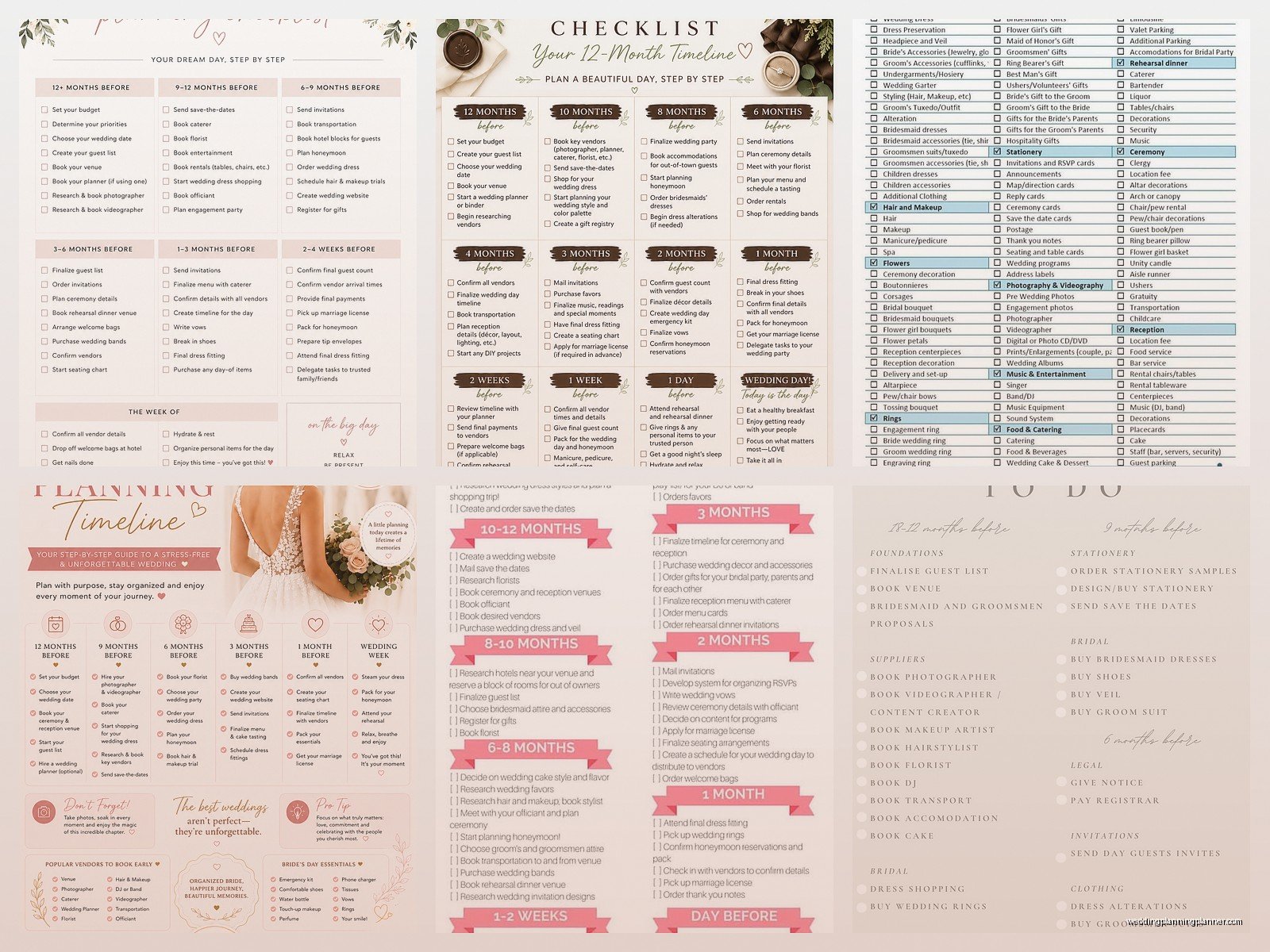
Okay so the most important template is your master timeline, which breaks tasks down by how far out from the wedding you are. This is typically organized like:
- 12+ months before
- 9-11 months before
- 6-8 months before
- 4-5 months before
- 2-3 months before
- 1 month before
- 2 weeks before
- 1 week before
- Day before
- Wedding day
When you organize it this way, you’re not looking at 847 tasks all at once. You’re looking at maybe 15-20 things you need to handle in your current timeframe, which feels way more manageable.
The 12+ Months Out Tasks
This is when you’re doing the big foundational stuff. Set your budget first—like actually sit down with a spreadsheet, not just a vague idea. Then book your venue because that determines literally everything else. Your date might be flexible based on venue availability and trust me, being flexible here saves you money.
You’ll also want to book your photographer and possibly your caterer if they’re in high demand. In spring 2023 I had a couple lose their dream photographer because they waited an extra two weeks and someone else snatched up their date. Still think about that sometimes.
Start your guest list too, even if it’s rough. You need numbers for venue capacity and budget planning.
The 9-11 Months Section
This is where you book the rest of your vendors—videographer, DJ or band, florist, hair and makeup artist. You’re also probably shopping for your wedding dress now, which takes longer than people think because of ordering and alterations.
Send save-the-dates if you’re doing them. Book hotel blocks for out-of-town guests. Start thinking about your wedding website.
Six to Eight Months Tasks
Order your invitations (please don’t be like my 2021 bride). Finalize your menu with the caterer. Book transportation if you need it—limos, shuttles, whatever. Order wedding bands. Register for gifts if that’s your thing.
This is also when you should be nailing down your ceremony details, like who’s officiating and what the actual ceremony will look like. I’ve seen couples forget about this until way too late and then they’re scrambling to write vows the week before.
The Budget Tracker Template
Separate from your timeline checklist, you need a budget tracker template that lists every possible expense category. And I mean every category because the little things add up so fast it’ll make your head spin.
Your categories should include:
- Venue and catering
- Photography and videography
- Flowers and decor
- Music and entertainment
- Invitations and stationery
- Wedding attire (dress, suit, shoes, accessories, alterations)
- Hair and makeup
- Transportation
- Favors and gifts
- Rings
- Officiant fee
- Marriage license
- Honeymoon
- Miscellaneous (and trust me, you’ll have miscellaneous)
For each category, write down your estimated budget, actual quotes you get, deposits paid, and balance due. Update this thing constantly. I use a simple spreadsheet but there are also apps that do this if you’re into that.
The Vendor Contact Template
You’re gonna have like 10-15 vendors and trying to remember everyone’s email and phone number and contract details is impossible. Create a template that lists:
- Vendor name and company
- Contact person
- Phone and email
- Contract date and total cost
- Deposit amount and date paid
- Balance due and due date
- What’s included in their package
- Arrival time on wedding day
- Special notes or requests
Print this out or save it somewhere you can access easily. On wedding day, your day-of coordinator or whoever’s helping needs to be able to contact vendors quickly if something comes up. And something always comes up—my cat once knocked over a entire stack of these the morning of a wedding and I almost had a breakdown, but that’s not really relevant here.
The Guest List and RSVP Tracker
This template is for your own sanity tracking. You need columns for:
- Guest names
- Mailing address
- Email and phone
- Save-the-date sent (date)
- Invitation sent (date)
- RSVP received (date)
- Number attending
- Meal choice if applicable
- Dietary restrictions
- Hotel block info sent
- Thank you note sent
I color-code mine—green for confirmed yes, red for no, yellow for haven’t responded yet. When you’re getting close to your RSVP deadline and you’ve got 30 yellow cells, you know exactly who you need to follow up with.
The Week-Of Day-By-Day Checklist
The final week deserves its own detailed template because it’s when everything gets real. Break it down day by day with specific tasks like:
One week before: Confirm final guest count with venue and caterer, pick up wedding dress and suit, break in your shoes (seriously), confirm all vendor arrival times, pack for honeymoon, get your marriage license if you haven’t yet.
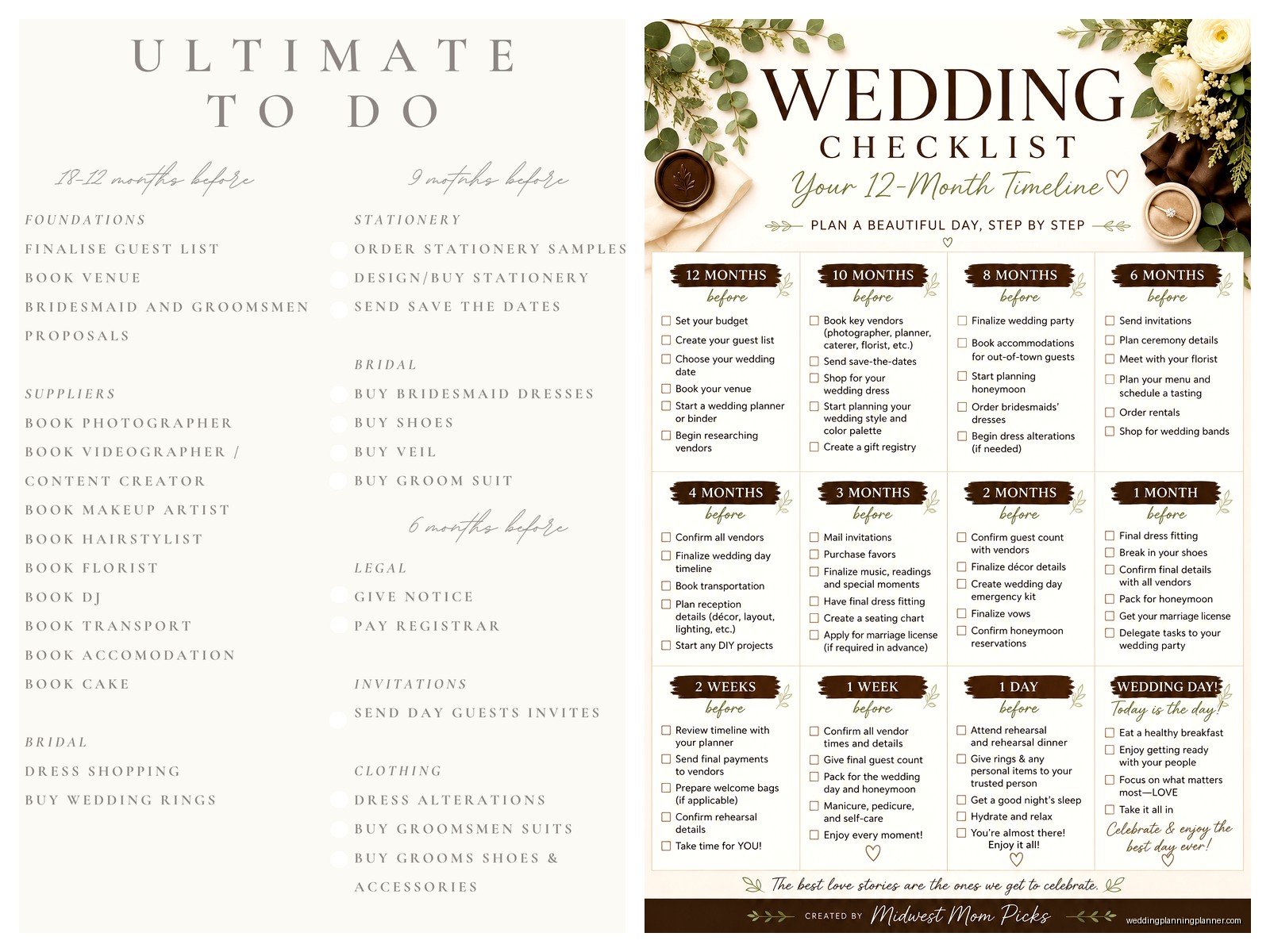
Three days before: Final dress and suit try-on, prepare vendor payments and tips in labeled envelopes, give final timeline to wedding party, rehearsal dinner if you’re doing one.
Day before: Rehearsal, lay out everything you need for tomorrow, put someone else in charge of setup and breakdown (don’t do this yourself), try to sleep (haha good luck).
Wedding day: Eat breakfast, follow your timeline, give your phone to someone else so you’re not checking it all day, actually enjoy the thing you spent a year planning.
Customizing Templates For Your Situation
Not every wedding needs every task on a standard template. Having a backyard wedding? You can skip some venue-related tasks but you’ll add others like renting tables and chairs, figuring out parking, dealing with permits maybe. Destination wedding? Whole different set of tasks around travel coordination and legal requirements in other locations.
I had a couple once who were doing a super casual brewery wedding and they kept getting stressed about tasks that didn’t even apply to them because they were using a template for a formal ballroom wedding. We deleted like 40% of the checklist and they immediately felt better. So cross out what doesn’t apply to you, add what’s specific to your situation.
Digital vs. Paper Templates
Some people are digital people, some are paper people. I’m both depending on my mood, which probably isn’t helpful but it’s true.
Digital templates—whether in Excel, Google Sheets, or one of those wedding planning apps—let you update things on your phone, share with your partner or wedding party, and you can’t lose them unless you like, forget your password or something. You can also sort and filter by date or category which is handy.
Paper templates are satisfying to physically check off and you can stick them on your fridge or in a wedding binder. Some people process information better when they write it by hand. I still keep a paper master checklist even though I have everything digital because there’s something about crossing things off with a pen that just hits different.
Do whatever works for your brain. Or do both. Nobody’s judging.
Who Should Own Which Tasks
If you’re planning with a partner, your template should probably have a column for who’s responsible for each task. This prevents the “I thought you were doing that” fights that happen in basically every couple I’ve ever worked with.
Some tasks make sense to divide based on who cares more or who has more time or whose family is more involved in that aspect. Other tasks you’ll do together. Just write it down so there’s no confusion.
AlsoDelegate to your wedding party or family where it makes sense. Your mom wants to help? Great, she can handle collecting addresses for the guest list or researching hotel blocks. Your best friend is super organized? They can track RSVPs or coordinate the bachelorette party planning.
The Things That Always Get Forgotten
Even with templates, certain tasks consistently slip through the cracks, so I’m just gonna list them here so you can add them if your template doesn’t have them:
- Marriage license (has expiration dates and waiting periods in some states)
- Vendor meals at reception
- Bustling your dress (someone needs to know how)
- A bag for cards and gifts at the reception
- Arranging transportation for elderly or disabled guests
- Getting your rings cleaned before the wedding
- Breaking in your shoes (cannot stress this enough)
- Asking someone to take your dress to the cleaners after
- Tipping vendors (prepare those envelopes ahead)
- Something to eat before the ceremony because you’ll be starving
That thing about vendor meals bugs me so much because venues will charge you per plate but then couples forget to actually order meals for their photographer and DJ and then these people are working for 8 hours with no food and it’s just rude, you know?
When To Start Using Your Checklist
As soon as you’re engaged, honestly. Even if your wedding is two years away, there are tasks you can start on. Setting budget, researching venues, starting your guest list—these things take time and starting early means you’re not cramming everything into the final six months.
That said, if you’re reading this and your wedding is in four months and you’re just starting, don’t panic. You’ll just be working through your checklist faster and some things might need to happen simultaneously instead of sequentially, but it’s doable. I’ve planned weddings in three months before and they turned out beautiful.
Sharing Your Checklist
Your partner should have access to the checklist obviously, but also consider sharing relevant portions with other people who are helping. Your maid of honor might want to see the timeline for the week of the wedding. Your parents might want to see the budget if they’re contributing financially. Your day-of coordinator definitely needs basically everything.
Just don’t share your entire checklist with everyone you know because then you’ll get 47 opinions about every decision and that’s its own nightmare. Been there, watched it happen to clients, would not recommend.
Updating As You Go
Your checklist is a living document. You’ll think of things to add, you’ll realize some tasks don’t apply, timelines will shift. Set a recurring weekly time to review and update your checklist—Sunday evenings work well for a lot of people, or whenever you have your planning sessions with your partner.
I usually tell couples to spend 30-60 minutes once a week on wedding planning stuff. Look at what’s coming up in the next few weeks, make decisions on anything that’s pending, update your checklists and budgets. This keeps you moving forward without wedding planning taking over your entire life.
Apps and Tools For Checklists
If you want to use an app instead of creating your own template, there are tons of options. The Knot and WeddingWire both have free checklist tools built into their platforms. There’s also apps like Trello or Asana that aren’t wedding-specific but work great for project management, which is basically what wedding planning is.
I personally use a combination of Google Sheets for the detailed stuff and a paper planner for weekly overviews, but I’m kinda extra about organization so that might be overkill for normal humans.
The Relief Of Checking Things Off
There’s something genuinely therapeutic about checking tasks off your list. Wedding planning can feel overwhelming and nebulous, but every time you complete something and mark it done, you’re making concrete progress. That visual representation of moving forward helps so much with stress and anxiety.
Plus it helps you see how much you’ve already accomplished when you’re feeling behind or stressed. You might have 30 things left to do, but you’ve already completed 70 things, and that’s worth acknowledging.
Just don’t get so obsessed with the checklist that you forget to actually enjoy being engaged and planning this thing. The checklist is a tool to reduce stress, not create more of it. If checking boxes starts feeling like a burden instead of helpful, take a step back and… I don’t know, watch some trashy TV or something. Balance matters.
