
Planning Guides, Style Guide
Unique Wedding Websites: Creative Event Site Ideas
Mar
Okay so wedding websites don’t have to be boring
Look, I’ve been planning weddings since like 2008 and the number of couples who just pick a random template and call it done is… actually most of them. But here’s the thing – your wedding website is literally the first thing guests interact with about your wedding, and you’re gonna send them there like fifteen times for different updates, so why not make it actually interesting?
The standard “Our Story” and “Registry” tabs are fine but they’re also kinda soulless. I had this couple in spring 2023 who were both graphic novelists and they created this whole illustrated choose-your-own-adventure style website where you could click through different paths to find information. Guests loved it. Their parents? Not so much because Aunt Barbara couldn’t figure out how to RSVP, but that’s why you also send paper invites with clear instructions.
Start with what actually matters to YOU two
Instead of thinking “what should a wedding website have” think about what you actually want to communicate. Are you obsessed with your dog? Make the dog the narrator. I’m serious. I’ve seen it work beautifully. One couple had their golden retriever “write” all the page content in first person and it was hilarious and people actually read everything instead of just skimming for the venue address.
You can structure your site around:
- A timeline of your relationship with photos (but not the standard slideshow – make it interactive or at least funny captions)
- A map if you’re having a destination wedding, but like an illustrated one or one that shows all the important spots in your relationship
- FAQ section that’s actually useful (more on this later because oh boy do I have thoughts)
- A blog-style update section if you’ve got a long engagement
The FAQ section that doesn’t make me want to scream
Okay this is the thing that annoys me most about wedding websites – the FAQ sections are either nonexistent or they’re completely useless. “What should I wear?” followed by “Semi-formal attire requested” tells me NOTHING. I’ve lived in three different states and semi-formal means something totally different in each one.
Your FAQ should answer:
- Actual dress code with examples or even better, photos of what you mean
- Whether kids are invited (just say it clearly, I’m begging you)
- If there’s parking or if people need to Uber
- What the weather might be like and whether it’s indoors/outdoors
- Food restrictions and how to communicate them
- Whether there’s a hashtag you want people to use (I know hashtags feel dated now but they’re still useful for gathering photos)
- Hotel room block details WITH the actual link to book
- What time things actually start (ceremony at 4pm is great but what time should people arrive?)
I had a couple who did their FAQ as a video where they just answered questions while cooking dinner together and it was so much more engaging than reading text. You could see their personalities. The groom made a joke about his mother-in-law that was actually funny. People watched the whole thing.
Make your RSVP system not terrible
The digital RSVP is supposed to make your life easier but I swear half the time it makes things worse. You need to make it VERY clear who’s invited. Like if you’re not inviting plus-ones, the system should only show one name. Don’t make people guess.
Some creative ideas I’ve seen work:
- A system where people can request songs for the dance floor when they RSVP (gives your DJ actual data about what people want to hear)
- Asking a fun question like “what’s your signature dance move” or “what’s your favorite memory of us” – you can use these responses in your reception decor or speeches
- Letting people indicate their food preferences beyond just “chicken or fish” – maybe you’re doing a taco bar and people can build their ideal taco
- A section where people can volunteer to help with specific things if you’re doing a more DIY wedding
The key is making sure the RSVP system works on mobile because like 70% of your guests are gonna do it on their phone while sitting on the couch watching TV. My cat always tries to walk across my keyboard when I’m testing these systems and honestly she’s a good test of whether the buttons are too small.
Getting weird with the design (in a good way)
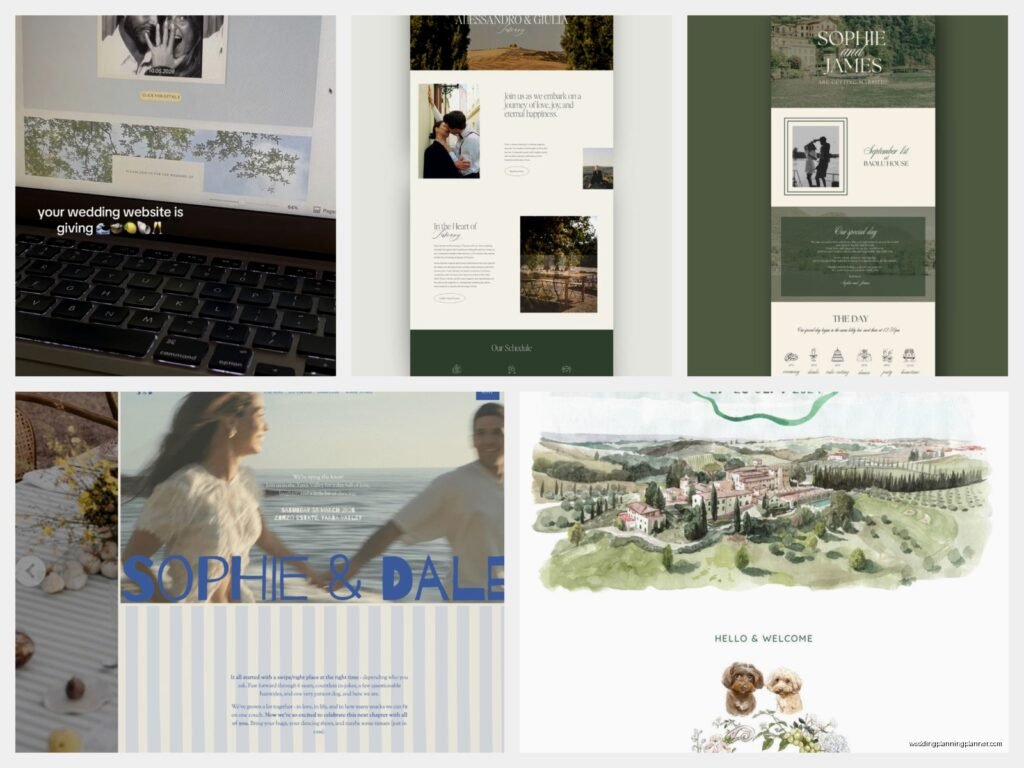
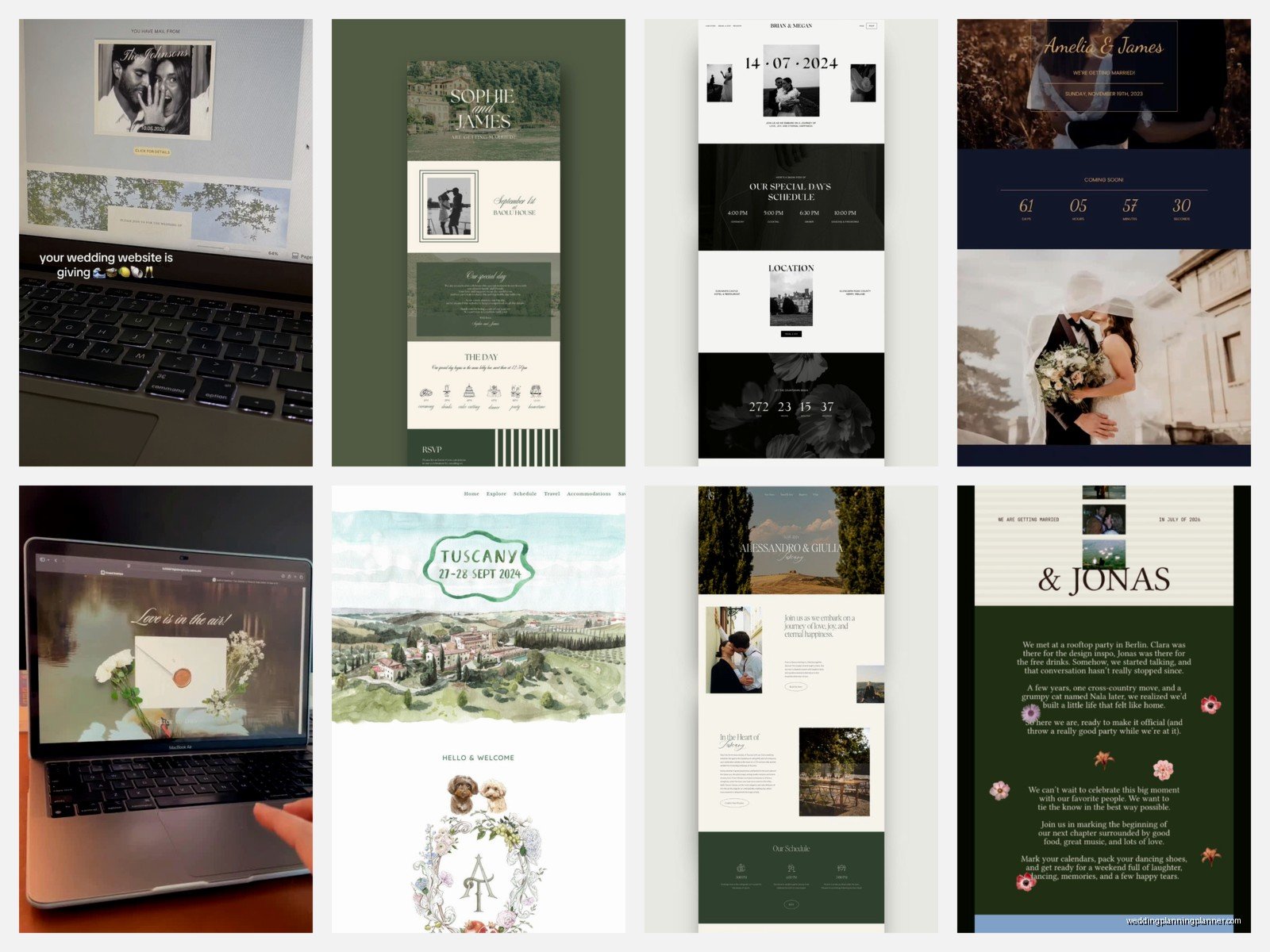
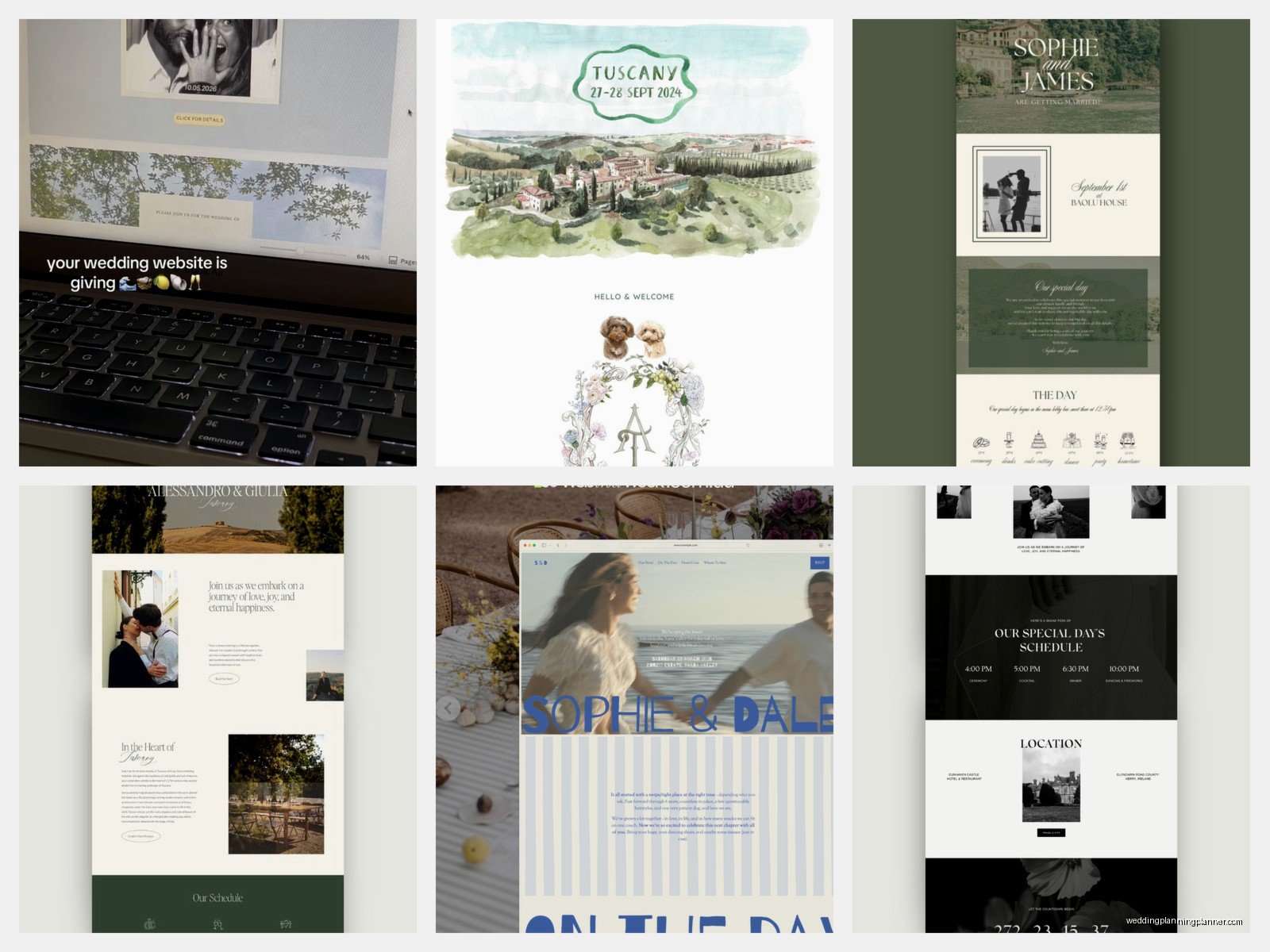
Most wedding website templates look the same because they’re designed to appeal to everyone which means they appeal to no one specifically. If you’ve got the budget and the inclination, hiring someone to custom build your site can be worth it, but there are also ways to customize templates that don’t require coding knowledge.
I worked with a couple in summer 2021 who were both really into vintage video games and they made their website look like an old-school 8-bit game. Each section was a different “level” and there were little easter eggs hidden throughout. Their tech-savvy friends spent like an hour exploring every corner of the site. Their older relatives… well, they called with questions, but at least they were engaged with it?
Some design directions that work:
- Minimalist with one really striking photo and clean typography
- Maximalist with patterns and colors everywhere (if that’s your vibe)
- Vintage-inspired with aged paper textures and classic fonts
- Modern with lots of white space and sans-serif fonts
- Hand-drawn illustrations throughout
- Photo-heavy with a grid layout
Whatever you pick, make sure the navigation is still clear. I’ve seen beautiful websites that are impossible to navigate and then people miss important information about like, where the wedding actually is or what time it starts, and then you get texts at 3am from confused guests.
Content that’s actually worth reading
The “Our Story” section doesn’t have to be this saccharine romance novel excerpt. You can be funny. You can be brief. You can tell the story from multiple perspectives – like have a tab for “His Version” and “Her Version” and let them contradict each other in funny ways.
Or skip the traditional story format entirely and do:
- A timeline of inside jokes
- A quiz about your relationship (can you guess which one of us said this?)
- Interview format where you answer questions about each other
- Just a collection of your favorite photos together with minimal text
- A playlist that tells your story through songs
The wedding party section is another place where you can get creative instead of just listing names and awkward posed photos. Tell actual stories about these people. How did you meet? What’s a funny memory? Why did you choose them? I’ve seen couples do a “trading card” style layout where each person has stats like “Known for: Always being late” or “Special skill: Making the perfect martini” and it’s so much more interesting than “Sarah is the bride’s college roommate.”
The practical stuff you gotta include somewhere
Okay so after all the creative stuff, you do need to make sure certain information is easy to find. I don’t care how beautiful your illustrated map is, you also need the actual venue address in plain text that people can copy-paste into Google Maps.
Essential information that needs to be immediately accessible:
- Date and time (seems obvious but I’ve seen websites where this was buried)
- Venue name and address for ceremony and reception if they’re different
- Hotel recommendations with any room blocks you’ve arranged
- Registry information (I know some people think it’s tacky to include but guests are gonna ask anyway)
- Your contact info or your wedding planner’s info for questions
- RSVP deadline
A good trick is to have a landing page that’s your creative vision and then a clear menu that gets people to the practical stuff fast. Don’t make people hunt through your choose-your-own-adventure game to find out what time the ceremony starts.
Mobile responsiveness isn’t optional anymore
This should go without saying in 2024 but I still see websites that look gorgeous on desktop and completely broken on mobile. Most website builders now automatically create mobile versions but you need to actually check how it looks on a phone. Have friends test it on different devices – iPhones, Androids, tablets, whatever.
Things that often break on mobile:
- Navigation menus that don’t collapse properly
- Photos that are too large and take forever to load
- Text that’s too small to read
- Buttons that are too close together
- Forms that don’t work with autocomplete
- Videos that autoplay and eat up data
Updates and keeping it current
Your wedding website isn’t a set-it-and-forget-it thing. You’re gonna need to update it as things change or as you get closer to the wedding. Maybe you finalize your menu and want to share that. Maybe there’s a weather contingency plan you need to communicate. Maybe you just want to build excitement by sharing behind-the-scenes planning stuff.
I’ve seen couples use their wedding website as almost a blog throughout their engagement. They post about cake tastings, dress shopping, venue visits… it keeps guests engaged and excited. Just don’t overshare to the point where there are no surprises left for the actual wedding day.
Some couples create a password-protected section for more personal updates or photos they don’t want publicly searchable. That’s smart if you’re private people but still want to share with your guest list.
Things that seem cool but often don’t work
Okay real talk – some ideas sound amazing in theory but are a pain in practice. I’m not saying don’t do them, but think carefully:
- Websites that require guests to create accounts or log in every time (people forget passwords constantly)
- Heavy animations that slow down load times
- Music that autoplays (please no, it’s 2024, we’ve learned this lesson)
- Too many pages – if I have to click through seven different sections to find basic info, I’m giving up
- Overly complicated RSVP systems with too many questions
- Anything that requires Flash or outdated plugins
I had this situation once where a couple built this elaborate website with like a virtual venue tour and 3D models and it was genuinely cool but it crashed constantly and their older guests couldn’t access it at all and we ended up having to create a simplified backup version anyway, which sorta defeated the purpose of the elaborate one in the first place…
Registry stuff without being weird about it
Some people get really uncomfortable about putting registry information on their wedding website. I get it. But also, guests want to give you gifts and making them hunt for registry information is more awkward than just including it.
Ways to include it that don’t feel grabby:
- Simple “Registry” tab with links to your stores
- A note about contributions to your honeymoon fund if that’s your preference
- A line about how your presence is the real present but if people insist, here’s where you’re registered
- Information about charities you’d like people to donate to instead
Just don’t make it the first thing people see when they land on your site. Bury it a little bit in the navigation but make it findable.
Accessibility matters more than you think
Not everyone navigates the web the same way. Some people use screen readers. Some people are colorblind. Some people have slow internet connections. Your beautiful custom font might be unreadable for someone with dyslexia.
Basic accessibility checklist:
- Use sufficient color contrast between text and background
- Include alt text for images
- Make sure your site works with keyboard navigation
- Don’t rely solely on color to convey information
- Keep your fonts readable (usually 16px minimum for body text)
- Test your site with a screen reader if possible
It’s not just about being nice – it’s about making sure all your guests can actually access the information they need about your wedding.
Platform choices and what actually works
There are like a million wedding website platforms now. The Knot, Zola, Minted, Joy, Withjoy, Squarespace, Wix… they all have different strengths. The free ones are fine for basic needs but usually come with ads or limited customization. The paid ones give you more control but require more setup time.
What I usually recommend depends on your priorities. If you want maximum customization and have some tech skills, Squarespace or WordPress. If you want something fast and integrated with your registry, Zola or The Knot. If you want something modern and clean with good mobile design, Joy or Withjoy.
Just make sure whatever platform you choose, you can export your guest list and RSVP data. You don’t want that information trapped in a system you can’t access after your wedding when you’re trying to send thank-you notes.
Also consider the URL situation. Some platforms give you clunky URLs like “theknot.com/yournames847392” which is fine but not as memorable as “sarahandmike2024.com” if you’re willing to pay for a custom domain. It’s usually like $15 a year and makes your site easier to share and remember.
