
Planning Guides, Style Guide
Wedding RSVP Website Examples: Online Response Samples
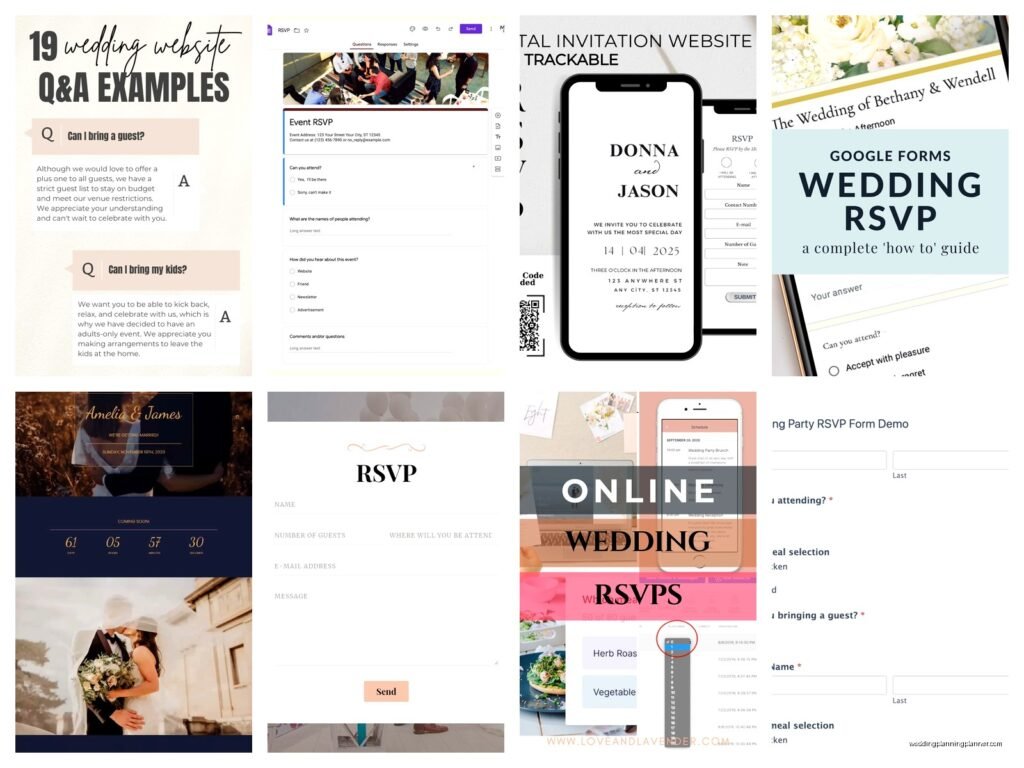
Apr
RSVP Website Wording That Actually Works
Okay so the whole RSVP website thing—it’s honestly one of those wedding elements that couples stress about way too much but then also somehow manage to mess up in the simplest ways. I’ve seen it all at this point, and lemme tell you, the difference between a good RSVP page and a confusing one is usually just like three sentences.
The biggest mistake I see is couples trying to be too cute or too formal. You want clarity first, personality second. Back in spring 2023 I had this couple who wrote their entire RSVP page in rhyming couplets and honestly? Their guests were so confused about what they were actually supposed to click that we got like 40% non-responses and had to follow up individually with everyone.
The Basic RSVP Page Template
Your standard RSVP page needs these elements, and I’m gonna break down each one:
- A clear headline
- The deadline date (BOLD THIS)
- Name field with instructions
- Attendance selection (attending/not attending)
- Meal choices if you’re doing a plated dinner
- Dietary restrictions field
- Optional: song requests, plus-one clarification
Here’s what the actual wording looks like for a straightforward approach:
RSVP to Our Wedding
Please respond by July 15th, 2025
We can’t wait to celebrate with you! Kindly let us know if you’ll be joining us by selecting your response below.
Full Name: [text field]
Will you be attending?
[Radio button] Accepts with pleasure
[Radio button] Declines with regret
Number of guests attending: [dropdown: 1, 2, etc.]
Entrée Selection:
[Dropdown] Herb-Crusted Chicken
[Dropdown] Grilled Salmon
[Dropdown] Vegetarian Pasta Primavera
Dietary restrictions or allergies: [text field]
The More Casual Version
If you’re having a laid-back wedding—like a backyard thing or a brewery reception—you can totally adjust the tone. This is where you can let your personality show, but seriously don’t sacrifice clarity for cuteness:
Let Us Know If You’re Coming!
RSVP by August 1st please and thank you
We’re so excited to party with you! Fill out the info below so we know how much pizza to order. (Okay not really pizza but you get it.)
Your name: [field]
Can you make it?
[Button] Heck yes, I’ll be there!
[Button] Sorry, can’t make it
How many people: [field]
Any food allergies we should know about? [field]
What song will get you on the dance floor? [field]
Handling the Plus-One Situation
This is where things get tricky and honestly kinda annoying. You need to be crystal clear about who’s invited. I cannot stress this enough—if someone’s invited alone, your RSVP system needs to reflect that, or you’re gonna end up with surprise guests.
Here’s wording that works:
For guests invited with a plus-one:
We’ve reserved 2 seats in your honor. Please include your guest’s name below.
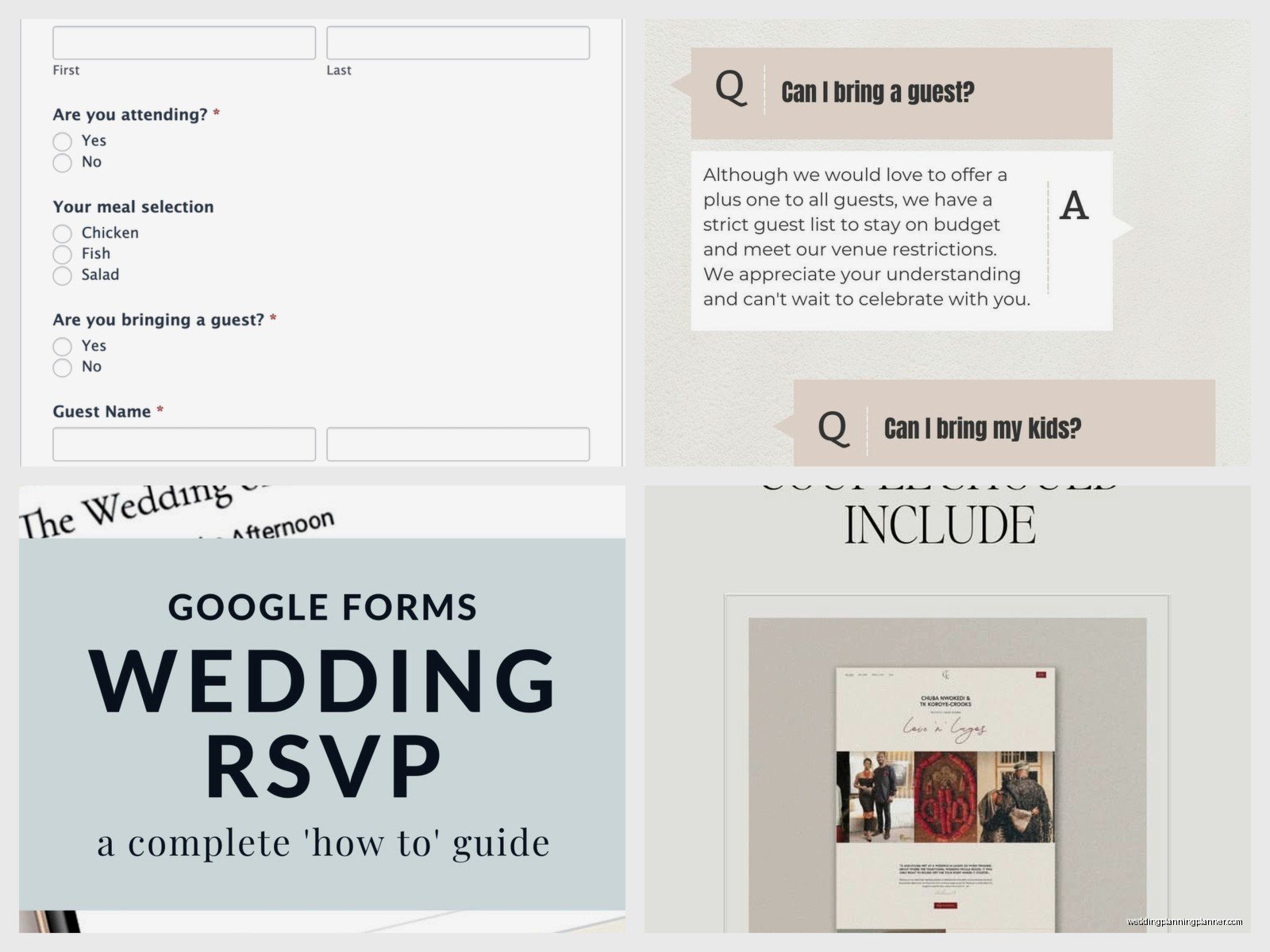
Your name: [field] Guest’s name: [field]
For solo invitations:
We’ve reserved 1 seat in your honor.
Your name: [field]
Or if you wanna be more direct: “Due to limited venue capacity, we’re unable to accommodate additional guests. We hope you understand!”
What really annoys me is when couples don’t set their RSVP system to limit responses and then act surprised when Uncle Bob tries to bring his girlfriend, her two kids, and his fishing buddy. Like… your website let him add four people, so that’s on you, not him.
The Formal Wedding RSVP Page
For black-tie events or traditional weddings, you’ll want something more elegant. The function stays the same but the language changes:
Kindly Respond
The favor of your reply is requested by the twenty-third of June
Guest Name(s): [field]
____ accepts with pleasure
____ declines with regret
Number in party: [dropdown]
Dinner Selection:
Filet Mignon
Chilean Sea Bass
Vegetable Wellington
Please note any dietary requirements: [field]
You can keep it formal without being stuffy though—I feel like people sometimes think formal means you have to write like you’re in a Jane Austen novel or something…
Multiple Event RSVP Pages
When you’ve got a welcome party, the ceremony, and a day-after brunch, your RSVP page gets more complicated. Here’s how I usually structure it:
Celebrate With Us
Please RSVP by May 10th
We’re hosting several events throughout the weekend and would love to know which ones you can attend!
Your name: [field]
Friday, June 14th – Welcome Drinks
7:00 PM at The Boathouse
[Checkbox] I’ll be there (Casual attire)
Saturday, June 15th – Wedding Ceremony & Reception
4:00 PM at Riverside Manor
[Radio] Attending
[Radio] Unable to attend
Number of guests: [dropdown]
Meal choice: [Chicken/Fish/Vegetarian]
Sunday, June 16th – Farewell Brunch
10:00 AM at The Garden Café
[Checkbox] Count me in!
My cat literally just knocked over my coffee while I’m writing this, so if this seems scattered that’s why, but anyway—
What to Include in Your RSVP Confirmation Message
After someone submits, they should see a confirmation page. Don’t just say “thanks!” Give them actual information:
Thank You for Your RSVP!
We’ve received your response and can’t wait to celebrate with you on August 5th!
Here’s what you need to know:
- Ceremony begins at 5:00 PM (please arrive by 4:45)
- Cocktail hour and reception to follow
- Attire: Cocktail attire
- Parking is available at the venue
Check your email for a confirmation with all the details. If you need to update your RSVP, contact us at [email].
Addressing Common Guest Questions
You can add an FAQ section right on your RSVP page or link to one. This cuts down on the “hey quick question” texts you’ll get:
Can I bring my kids?
We love your little ones, but we’ve planned an adults-only celebration. We hope this gives you a chance to enjoy a night out!
What if I need to change my RSVP?
Life happens! Please email us at weddingstuff@email.com as soon as possible.
Is there parking?
Yes, free parking is available at the venue. Valet service will also be provided.
Can I take photos during the ceremony?
We’re having an unplugged ceremony. Our photographer will capture everything, and we’ll share photos after the wedding!
The Destination Wedding RSVP Variation
For destination weddings, you gotta collect more info because you’re basically coordinating a group trip:
Your RSVP page should include:
Will you be joining us in Cabo?
[Yes/No buttons]
If yes:
- Number of guests traveling: [field]
- Will you be staying at our room block hotel? [Yes/No]
- Are you interested in group activities? [Checkboxes for various activities]
- Arrival date: [date picker]
- Departure date: [date picker]
I had a destination wedding in summer 2021—well, I planned one, not my own wedding—where the couple didn’t collect travel info and then were shocked they had no idea who was actually coming versus who was just being polite. You need hard data for destination events.
Meal Choice Wording That Works
Don’t just list “chicken, fish, vegetarian” without descriptions. Your guests need to know what they’re choosing:
Please select your entrée:
- Herb-Roasted Chicken Breast with lemon butter sauce, served with roasted vegetables and garlic mashed potatoes
- Pan-Seared Salmon with dill cream sauce, wild rice, and asparagus
- Portobello Mushroom Stack with roasted red pepper coulis, quinoa, and seasonal vegetables (vegetarian)
And always, ALWAYS include a field for dietary restrictions separate from meal choice. Someone might want the chicken but needs it gluten-free. Someone might be allergic to shellfish even though they’re ordering the vegetarian option.
The “Regretfully Declining” Path
When someone clicks “not attending,” don’t just end it there. Show them a nice message:
We’ll miss you on our special day! Thank you for letting us know.
Even though you can’t be there in person, we’d love to stay connected. [Link to livestream if you’re offering one] [Link to registry if appropriate]
Some couples get weird about showing registry info to people who aren’t attending, but honestly? If someone wants to send a gift even though they can’t come, let them. Don’t make it hard to find.
Technical Stuff You Should Know
Make sure your RSVP system sends YOU a notification every time someone responds. I’ve seen couples using platforms where responses just… sit there… and nobody checks until two weeks before the wedding. Set up email notifications or use a platform that texts you.
Also test your RSVP form on mobile. Like actually pull out your phone and fill it out. So many wedding websites look gorgeous on desktop and then are impossible to navigate on a phone screen, and guess what? Most of your guests are gonna RSVP from their phones while sitting on their couch watching reality TV.
Password protection is kinda outdated at this point—most couples just use a unique URL that they only share with invited guests. Way easier than making everyone remember a password.
Following Up on Non-Responses
Your RSVP page should also include a note about follow-ups:
If we don’t hear from you by [date], we’ll reach out to confirm. We need final numbers for catering, so please respond even if you can’t attend!
And then actually follow up. Send a text, make a call, send a carrier pigeon if you have to. You need those numbers.
The whole RSVP thing should be simple but I swear couples overcomplicate it or make it too vague, and then they’re stressed about headcount three weeks before the wedding when their caterer is asking for final numbers and they’re still waiting on like 30 people to respond because their RSVP page said “respond when you get a chance” instead of giving an actual deadline
