
Planning Guides, Style Guide
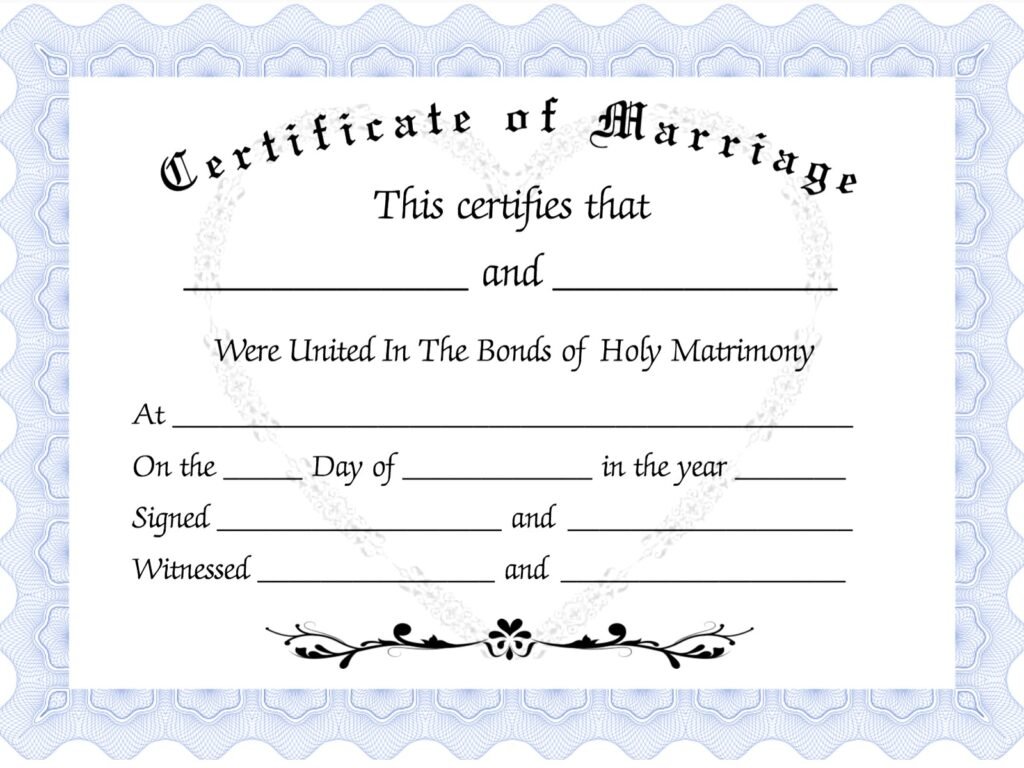
Free Marriage Certificate Template: Free Download Files
Aug
Okay So About Free Marriage Certificate Templates
Right so you need a marriage certificate template and don’t wanna pay for it which honestly makes total sense because why would you drop money on something that’s basically just formatted text and decorative borders. I’ve dealt with this situation so many times with couples who need ceremonial certificates or keepsake versions separate from their legal documents.
First thing – and I cannot stress this enough – a downloaded template is NOT your legal marriage certificate. That comes from your county clerk or whoever handles vital records in your area. What we’re talking about here is either a decorative keepsake version or a ceremonial certificate for your actual wedding day that looks official and pretty but has zero legal standing. Got it? Cool.
Where To Actually Find Decent Free Templates
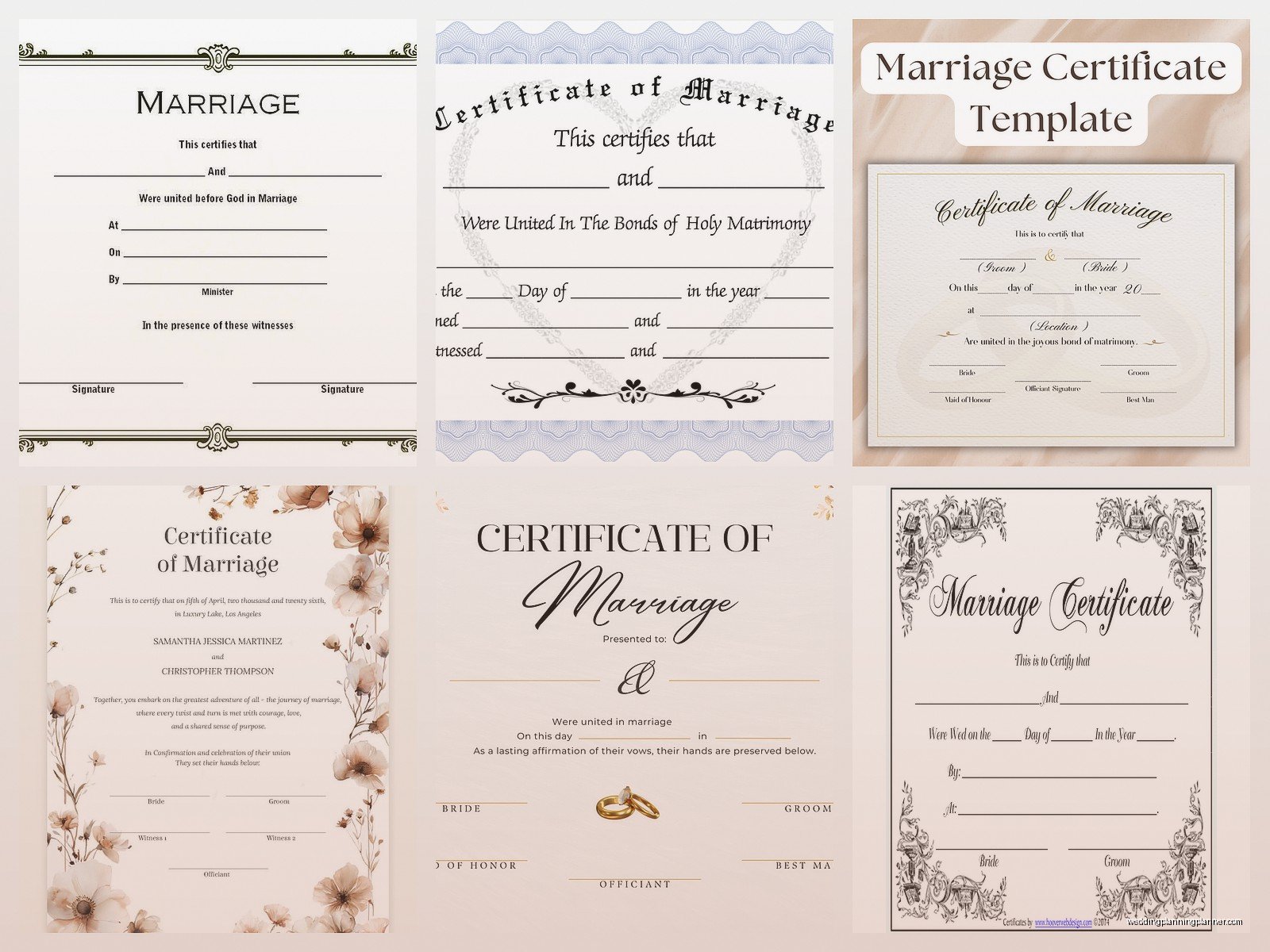
Canva is gonna be your best friend here honestly. They have a free tier that gives you access to tons of certificate templates. You can customize colors, fonts, add your names and wedding date. I use Canva for client mood boards anyway so I’m on there constantly and their certificate section is actually pretty robust. The free templates have enough options that you won’t feel like you’re stuck with garbage designs.
Microsoft Word also has templates built right into the program if you go to File > New and search for “certificate” or “marriage certificate.” Some of them are kinda dated looking but there are a few clean modern ones. The nice thing about Word templates is you can edit them offline and you probably already have Word installed.
Template.net has free downloads but – and this annoyed me SO much when I was helping a bride in spring 2023 – they make you sign up for their mailing list and the “free” downloads are sometimes limited to lower resolution files. You might get a perfectly nice template but then realize it’s only 72 DPI which will look pixelated when printed. So just check the file specs before you get too attached to a design.
Google Docs Templates
There’s a whole template gallery in Google Docs that people forget about. Go to the Google Docs homepage when you’re logged in and click Template Gallery at the top. Search certificates and you’ll find some basic ones. They’re not specifically marriage certificates usually but you can customize any certificate template to say whatever you want. The advantage here is easy sharing if someone else needs to review it or if you’re working on it with your partner.
What You Actually Need On The Certificate
So here’s what should be on your ceremonial marriage certificate if you want it to look legit and not like you made it in five minutes:

- Both full legal names (or the names you’re using for the ceremony)
- Wedding date
- Location – city and state at minimum
- Officiant’s name and signature line
- Witness signature lines if you want them
- Some kind of official-sounding heading like “Certificate of Marriage” or “This certifies that…”
- Decorative border or design elements
You can add other stuff like a meaningful quote or verse if that’s your thing. I had a couple once who put a line from their favorite song on theirs which was actually really sweet. My cat knocked over my coffee right onto the draft print which was… a whole thing but we reprinted it obviously.
Customizing Your Template
Once you download a template you’re gonna need to customize it with your specific info. This is where people sometimes get stuck because they download a PDF and then realize they can’t edit it or the editing is super clunky.
If you get a PDF template, you’ll need Adobe Acrobat (the paid version) or a PDF editor to change the text fields. Some PDFs have fillable fields which makes life easier but many free templates don’t. In that case you might need to convert it to a different format first or just use it as design inspiration and recreate it in Canva or Word.
For Word templates (.docx files) you can just click into the text boxes and type. Easy. Make sure you’re changing all the placeholder text – I’ve seen people print these and accidentally leave “Bride’s Name Here” on the final version which is just… anyway.
Canva templates let you click on any element and change it. You can swap out fonts, adjust colors to match your wedding palette, add or remove design elements. The free version has limitations on some premium graphics but there’s still plenty you can do without paying.
Design Tips From Someone Who’s Seen A Lot Of Bad Certificates
Keep it simple. I know there’s a temptation to add every flourish and decorative element but too much looks cheap and cluttered. Pick one or two accent colors max beyond black text.
Font choices matter more than you think. Don’t use more than two different fonts – maybe a fancy script for names and a clean serif or sans-serif for body text. And please for the love of everything don’t use Comic Sans or Papyrus. I saw a certificate in Comic Sans once at a wedding expo and I’m still recovering.
Leave enough space for actual signatures. Some templates have signature lines that are comically small or placed weird. You need at least a couple inches of clear space for people to sign naturally.
Printing Considerations That Nobody Tells You
Okay so you’ve got your beautiful customized template ready to go and now you need to actually print the thing. This is where it gets tricky because paper quality and printing method make a HUGE difference in how professional it looks.
Regular printer paper is gonna look cheap. Just is what it is. You want certificate paper or cardstock at minimum. You can buy certificate paper at any office supply store – it usually comes with decorative borders already printed on it. Some free templates are specifically designed to work with pre-bordered certificate paper which can be a nice shortcut.
If you’re printing at home on a regular inkjet printer, use the highest quality settings. Set it to “Best” or “High Quality” in your print dialog box and make sure you’re printing on the correct paper type setting. Printing a certificate template on plain paper with draft quality settings is just… why even bother at that point.
Professional Printing Options
FedEx Office or Staples can print your certificate on nice paper for pretty cheap. Usually under ten dollars. You upload your file, select cardstock or certificate paper, and pick it up same day usually. This is what I recommend to most couples because your home printer probably can’t handle heavy cardstock anyway.
Make sure your file is high resolution – at least 300 DPI for printing. If you’re working in Canva, download as PDF Print for best quality. Word documents should be saved as PDF before sending to a print shop so formatting doesn’t get messed up.
That Annoying Thing About Signature Lines
Here’s what drives me crazy about most free templates – the signature lines are often just decorative and don’t actually leave practical space for real signatures. Someone will design this gorgeous certificate and then put the signature line right at the bottom edge where there’s barely room to write or they make the line so short you’d have to have tiny handwriting to fit your name.
When you’re customizing your template, really look at those signature areas. Is there enough vertical space above and below the line? Is the line actually long enough for a full signature? I learned this the hard way during a ceremony in summer 2021 where the officiant’s signature was supposed to go in this tiny corner space and he had to basically scribble illegibly to make it fit. Not a great look for a keepsake document.
Legal Versus Ceremonial – Again Because People Mix This Up
I’m gonna repeat this because it’s important and people still get confused. The pretty certificate you download and print is for display purposes or ceremonial use. Your actual legal marriage certificate comes from the government after you file your marriage license. That’s the document that proves you’re legally married. The one you’re making is basically fancy wall art that commemorates your wedding day.
Some officiants will present the ceremonial certificate during the wedding ceremony as part of the proceedings which is a nice touch. It gives you something tangible to sign in front of your guests. Then later you still gotta go file the actual legal paperwork with your county.
File Formats You’ll Encounter
Free templates come in different formats and you should know what you’re working with:
- PDF – Most common. Some are editable, some aren’t. Quality stays consistent when you download.
- DOCX – Microsoft Word format. Easy to edit if you have Word. Formatting can shift between different computers sometimes.
- JPG or PNG – Image files. Hard to edit unless you have photo editing software. Usually best for design reference only.
- SVG – Scalable vector graphics. Great quality at any size but needs special software like Adobe Illustrator to edit properly.
- PSD – Photoshop files. Only useful if you have Photoshop which most people don’t.
Stick with PDF or DOCX formats if you actually need to customize the text. The other formats are more for designers or if you just need to print exactly as-is without changes.
Storage And Preservation After Printing
Once you print your certificate and get it signed during your ceremony, you’ll wanna protect it. Certificate frames are cheap at Target or Michaels – usually under twenty bucks for a standard 8.5×11 size. Get one with UV-protective glass if you’re hanging it where sunlight hits because ink fades over time.
Some couples get their ceremonial certificate professionally framed along with wedding photos or other memorabilia. That’s a nice option if you want it to look really polished but it’ll cost more like fifty to a hundred dollars depending on the frame shop.
If you’re not framing it right away, store it flat in a document protector or folder. Don’t roll it up or fold it because creases in certificate paper are pretty much permanent.
Alternatives If You Don’t Find What You Want
Sometimes the free templates just aren’t doing it for you design-wise. If you have a specific vision and can’t find a free template that matches, you’ve got a few options.
You could hire someone on Etsy to create a custom certificate design. Prices usually range from like fifteen to fifty dollars which is still way cheaper than some of the premium template sites. You give them your details and wedding colors and they design something unique for you.
Or honestly just… start from scratch in Canva using a blank canvas. Add a decorative border element from their free graphics library, choose your fonts, type out the certificate text. It’s not that hard if you have even basic design sense. I’ve done this for clients when they want something that matches their invitation design exactly.
Quick Canva Tutorial Because It’s Genuinely The Easiest Option
Go to Canva.com and create a free account if you don’t have one. Click “Create a design” and either search for certificate templates or choose custom dimensions – 8.5×11 inches is standard. Browse the certificate templates, pick one you like, and click it to start customizing. Click on any text to edit it. Click on design elements to change colors or delete them. Use the search bar on the left to add new elements like borders, flourishes, or icons. When you’re done, click Download and choose PDF Print for best quality. That’s literally it.
Common Mistakes People Make
Forgetting to proofread. I’ve seen certificates with misspelled names or wrong dates that got printed and used in ceremonies. Super embarrassing. Have someone else read it over before you print.
Choosing fonts that are too small or too elaborate to read easily. Your certificate should be readable from a few feet away if it’s going on a wall.
Not testing a print first. Always print one copy on regular paper just to check sizing and make sure everything looks right before you print on expensive certificate paper.
Waiting until the last minute. If you’re ordering paper or planning to use a print shop, give yourself at least a week before the wedding. Things go wrong, printers jam, files get corrupted… just don’t leave it for the day before.
What About Religious Or Cultural Specific Certificates
Some religious or cultural traditions have specific wording or elements that should be on a marriage certificate. Like a Quaker marriage certificate has specific language and often includes lines for all guests to sign as witnesses. Jewish ketubahs are a whole different thing with Hebrew text and traditional designs.
If you need something culturally specific, search for that specifically – “free Quaker marriage certificate template” or whatever applies to you. The generic templates might not have the right format or wording. There are communities and religious organizations that share templates for free specifically for their traditions.
Digital Versus Physical
Some couples are now doing digital certificates that they share on social media or via email instead of or in addition to physical ones. If that’s your plan, you don’t need to worry as much about print quality but you do want to make sure the file size isn’t so huge that it’s hard to share. Save a web-optimized version as a JPG at around 1200 pixels wide.
I personally think having a physical certificate is nice for the actual ceremony even if you also go digital. There’s something about signing an actual document in the moment that feels more significant than just… existing? I don’t know, maybe I’m old-fashioned about this stuff but yeah.
Anyway that’s basically everything I know about free marriage certificate templates from years of dealing with this question from couples. Download from Canva or Word, customize it with your info, print on decent paper at a print shop, frame it and you’re done. Not complicated but there are definitely ways to mess it up so just take your time with it and you’ll be fine.
