
Planning Guides, Style Guide
Easy Wedding Invitations: Simple Quick Design Options
May
Okay so about those easy wedding invitations
Look, I’m gonna be straight with you – wedding invitations don’t have to be this massive production that takes three months and seventeen rounds of proofing. I’ve been planning weddings for almost two decades now and honestly? The couples who stress the least about invites are usually the ones who pick simple designs and just go with it.
The easiest option that nobody talks about enough is honestly just using Canva. Yeah yeah, I know some stationery purists are gonna come for me but like… Canva has literally hundreds of wedding invitation templates that you can customize in about twenty minutes. You don’t need design skills. You don’t need to hire someone for $800. You just need to know your wedding details and have halfway decent taste, which if you’re getting married, I’m assuming you do.
Here’s what I tell people: pick a template that has your vibe, change the colors to match your wedding colors, pop in your text, and you’re basically done. The templates are already balanced and designed by actual designers, so you’re not starting from scratch. I had this couple in spring 2023 who were totally panicking because they’d spent two months going back and forth with a custom designer and hated everything, and we switched them to Canva and had their invites designed, ordered, and shipped within a week.
The templates that actually work for real weddings
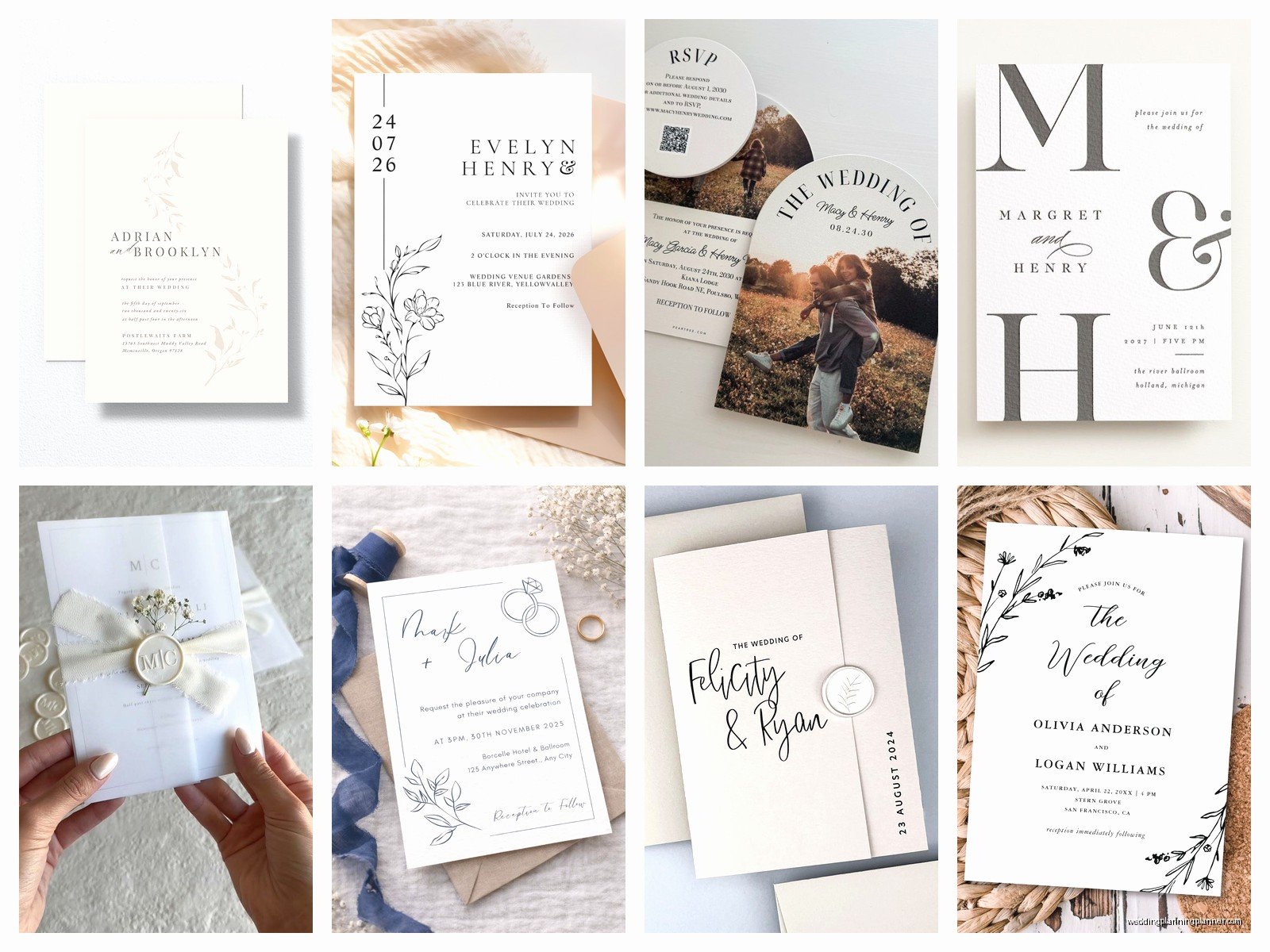
Simple doesn’t mean boring, it just means not overthinking it. Here are the design styles that consistently look good and are super quick to put together:
- Classic text-only invitations with one fancy font – literally just your words on nice paper, maybe with a simple border
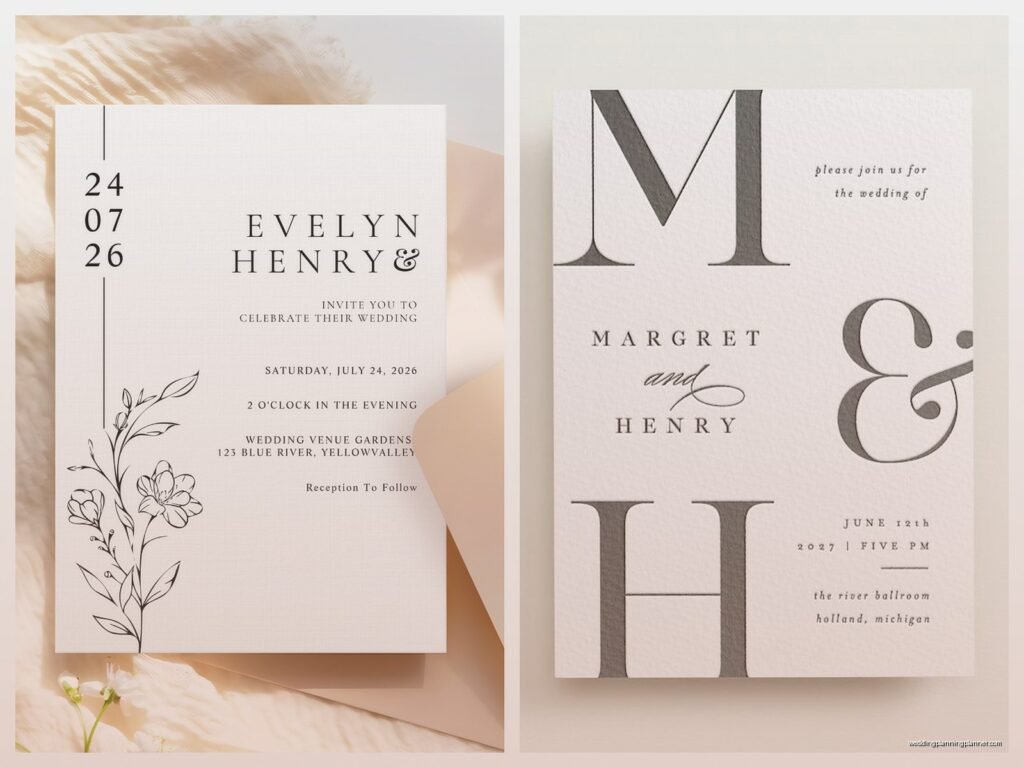
- Minimalist designs with lots of white space and one main element like a botanical drawing or geometric shape
- Photo invitations where you use an engagement photo as the background – these are stupid easy because the photo does all the work
- Modern typography layouts where you play with different font sizes but keep everything clean
- Single-color designs that use different shades of one color instead of trying to coordinate multiple colors
What really bugs me is when people think simple means cheap-looking. Nah. Simple done right looks expensive and intentional. Simple done wrong looks like you forgot about invitations until two weeks before you needed them… which honestly happens more than you’d think.
The fastest printing options that don’t suck
So you’ve got your design, now what? You need to actually print these things. Here’s where people get stuck because there are like a million options and half of them take forever.
Minted is my go-to recommendation for people who want it fast and easy. Their interface is really straightforward, they have good customer service, and the quality is consistent. You can upload your own design or use their templates. Turnaround is usually about a week for printing plus shipping. Not the cheapest option but definitely reliable.
Vistaprint is cheaper and faster if you’re okay with slightly less fancy paper quality. I’ve used them for save-the-dates more than formal invitations, but honestly for a casual wedding they’re totally fine. You can sometimes get invitations printed and shipped in like 3-4 days if you pay for rush.
Zazzle is kinda the middle ground – decent quality, lots of customization options, prices are reasonable. Their design interface is a bit clunky though which annoys me because it’s 2024 and we should have better technology by now, but whatever.
If you want REALLY fast and you live near a city, check if there’s a local print shop that does wedding invitations. I have a print shop in my area that can turn around invitations in 48 hours if you bring them a finished design. Plus you can see paper samples in person which is actually really helpful.
What information you actually need to include
This is where people overthink it so much. Your invitation needs like five basic things and that’s kinda it:
- Your names (obviously)
- The date and time
- The venue name and location
- RSVP details (either a website, email, or phone number)
- Dress code if it’s not obvious from the venue
That’s literally it for the main invitation. Everything else – accommodations, registry info, rehearsal dinner details, your entire love story – that stuff goes on your wedding website or on separate insert cards if you really want. But you don’t NEED insert cards. I promise you don’t.
The main invitation should be clean and readable. If you’re squinting to read the text or you’ve got paragraphs of information crammed on there, you’ve gone too far. Pull some stuff out and put it online.
Digital invitations are actually totally acceptable now
Okay so this is gonna be controversial for some people but digital invitations are completely fine for most weddings now. Like we all lived through a pandemic where everything went digital and guess what? Nobody died from receiving a wedding invitation via email.
Paperless Post is the fancy option for digital invites. They have beautiful designs, you can track who’s opened them, RSVPs are built right in, and you can send them immediately. No waiting for printing or shipping. I’ve had couples send out invitations literally the same day they finalized their venue.
Greenvelope is similar, maybe slightly more formal-looking designs. Both of these options let you do the whole suite digitally – save the dates, invitations, reminders, thank you notes, everything.
The main thing with digital is that older guests sometimes need extra help or a phone call to make sure they got it and know how to RSVP. My cat knocked over my coffee while I was setting up a digital invitation last month and I had to redo the whole thing, but that’s not really relevant here except to say that digital invitations are definitely easier to fix mistakes on than printed ones.
Pre-made suites that you just customize
If you want physical invitations but don’t want to design anything yourself, there are companies that sell pre-designed suites where you literally just fill in the blanks. It’s like Mad Libs but for weddings.
Artifact Uprising has these really pretty customizable sets that feel personal without requiring design work. Basic Invite lets you customize literally everything about their templates – colors, fonts, layouts – but they’ve already done the hard work of making sure it looks balanced.
Shutterfly is another option that’s super user-friendly, though their designs can sometimes look a bit… I don’t know, they just have a certain Shutterfly look to them? But they’re easy and fast and if you’re already using Shutterfly for other wedding stuff, you can keep everything in one place.
The DIY approach that doesn’t require being crafty
Some people hear DIY and think they need a Cricut machine and seventeen trips to Michael’s. But there’s a version of DIY that’s actually simple – you order blank invitation cards and print them yourself on a home printer.
Cards & Pockets sells blank invitation cards in like every color and style. You buy the blank cards, design your invitation in Word or Canva or whatever, and print them at home. Takes an afternoon. You’ll want a decent printer – don’t try this on a printer that’s been out of ink since 2019 and makes weird streaky lines.
The trick is to print a test one first on regular paper, then print one on an actual invitation card to make sure everything lines up right before you print all of them. I learned this the hard way in summer 2021 when I helped a friend print her invitations and we wasted like 20 cards before figuring out the margins.
You can also do the hybrid thing where you order professionally printed invitation cards but hand-write the envelopes yourself. Or order printed envelopes but handwrite a personal note inside each invitation. Whatever combination makes you feel like you put in effort without actually having to put in that much effort.
Keeping it simple with just a postcard
Postcard invitations are SO underrated. They’re cheaper to print, cheaper to mail (you don’t need envelopes), and they’re less formal which works great for casual weddings, backyard weddings, or elopement announcements.
You can fit all your essential information on a postcard. Put a nice photo or design on one side, your wedding details on the other, done. Minted and Vistaprint both do postcard invitations. You can even send them as save-the-dates and then do slightly fancier invitations later, or just… only send postcards and call it good.
The main downside is that postcards feel less formal, so if you’re having a black-tie wedding at a fancy venue, maybe skip this option. But for everything else? Totally works.
What to skip to save time and sanity
Here’s what you don’t need and what’s gonna slow you down if you try to include it:
Custom illustrations of your venue – These are beautiful but take forever and cost a fortune. Unless you have a family member who’s an artist and offering to do it for free, skip it.
Wax seals – They look cool on Instagram but they’re annoying to apply, they sometimes don’t make it through the mail, and they add bulk which means extra postage. Just… no.
Multiple insert cards – Every extra card is another thing to design, print, and assemble. Put that information on your website instead.
Fancy envelope liners – Pretty but completely unnecessary and time-consuming if you’re doing them yourself.
Ribbon or twine wrapped around the invitation – Looks nice, takes forever to assemble, also adds bulk for mailing. There are easier ways to make your invitations look special.
The actual timeline for easy invitations
If you’re going the simple route, here’s realistically how long everything takes:
Design: 1-3 hours if you’re using a template and you’re decisive. Could be longer if you’re the type who changes your mind a lot or if you and your partner can’t agree on anything, but that’s a you problem not an invitation problem.
Ordering: 5-10 minutes to actually place the order once you’ve finalized the design.
Printing time: 3-7 days for most online companies, 1-2 days if you’re doing rush printing or printing at home.
Addressing envelopes: This is the part that takes forever honestly. Plan for like 2-3 hours for 100 invitations if you’re handwriting them. You can order printed addresses on envelopes from most printing companies which adds maybe $50-100 but saves you hours.
Assembly: 30 minutes to an hour if you’re just putting invitations in envelopes. Longer if you’ve got insert cards and you’re trying to get everything facing the right direction.
Mailing: One trip to the post office. Take a full invitation to the post office before you mail them all to get it weighed and make sure you’re putting enough postage on. Nothing worse than having 100 invitations returned to you for insufficient postage.
So realistically, from start to finish, you can have invitations in the mail in about two weeks if you’re being efficient. Maybe three weeks if you’re more relaxed about it or waiting for a good sale.
My actual favorite easy option
If someone put a gun to my head and made me choose the easiest possible option that still looks good… or wait that’s dark, let me rephrase that. If I had to recommend just ONE approach for easy invitations, I’d say: use a Canva template, customize it with your details and colors, order printing from Minted with printed envelope addresses, and skip all insert cards by putting extra info on your wedding website.
That combination is fast, looks professional, doesn’t require design skills, and the final product is something you’ll actually be happy with. The whole process from starting your design to having invitations in hand can happen in under two weeks.
And honestly? Your guests are gonna look at your invitation for about thirty seconds, put the date in their calendar, and then probably lose the physical invitation before your wedding. So like, don’t stress about it being perfect or unique or whatever. Just make sure it has the right information and looks reasonably nice and you’re good.
Oh and one more thing – proofread everything multiple times before you order. Have someone else proofread it too. I once had a couple who printed 150 invitations with the wrong ceremony time and had to reorder everything. That’s the kind of mistake that turns an easy invitation process into a nightmare, so just triple-check your details before hitting that order button.
