
Planning Guides, Style Guide
Online Wedding Invitations with RSVP: Digital Response Tools
May
Getting Started with Digital Invites and RSVP Tracking
Okay so the first thing you need to know is that online wedding invitations are not just about saving money or being eco-friendly anymore, they’re actually just really practical and honestly sometimes easier than dealing with the post office. I had this couple back in spring 2023 who waited until the last minute to send their invites and we literally got everything out digitally in like 48 hours including custom designs and RSVP tracking set up. Try doing that with a print shop.
The main platforms you’re gonna wanna look at are Paperless Post, Greenvelope, Minted, Joy, and Witty Woo. Each one has different vibes and price points. Paperless Post is probably the most well-known and they have this coin system that kinda annoyed me at first because you have to buy credits to send certain designs, but their templates are gorgeous and the tracking is solid. Greenvelope is more upscale and their designs look really close to traditional paper invites if that matters to you or your guests who might be traditional.
Choosing Your Platform Based on What You Actually Need
I always tell people to think about your guest list first because some platforms charge per invite sent while others have flat rates. If you’re inviting like 300 people, those per-invite costs add up fast. Joy is completely free which sounds too good to be true but it actually works really well for basic invites, you just don’t get as many fancy design options. They make their money on add-ons like wedding websites and stuff.
Witty Woo has become my go-to lately for clients who want something that feels more personal and less template-y. You can customize basically everything and their customer service is actually helpful when you need it. Minted does both digital and paper so if you want to do like a hybrid approach where maybe you send digital to your younger guests and paper to grandparents or whatever, they make that transition easier.
Setting Up Your Digital Invitation
When you’re creating the actual invite, you need way less information than you think. Don’t overload it with every single detail about your wedding weekend because people will just get overwhelmed and not read it. Put the essential info on the main invitation: your names, date, time, location, and a link to your wedding website for everything else.
One thing that drives me crazy is when couples put the RSVP deadline too close to the wedding date. You need at least 3-4 weeks before your wedding to get final counts to your caterer and venue. So set your RSVP deadline for like 5-6 weeks before the wedding to give yourself buffer time for the people who inevitably forget to respond. There are always stragglers.
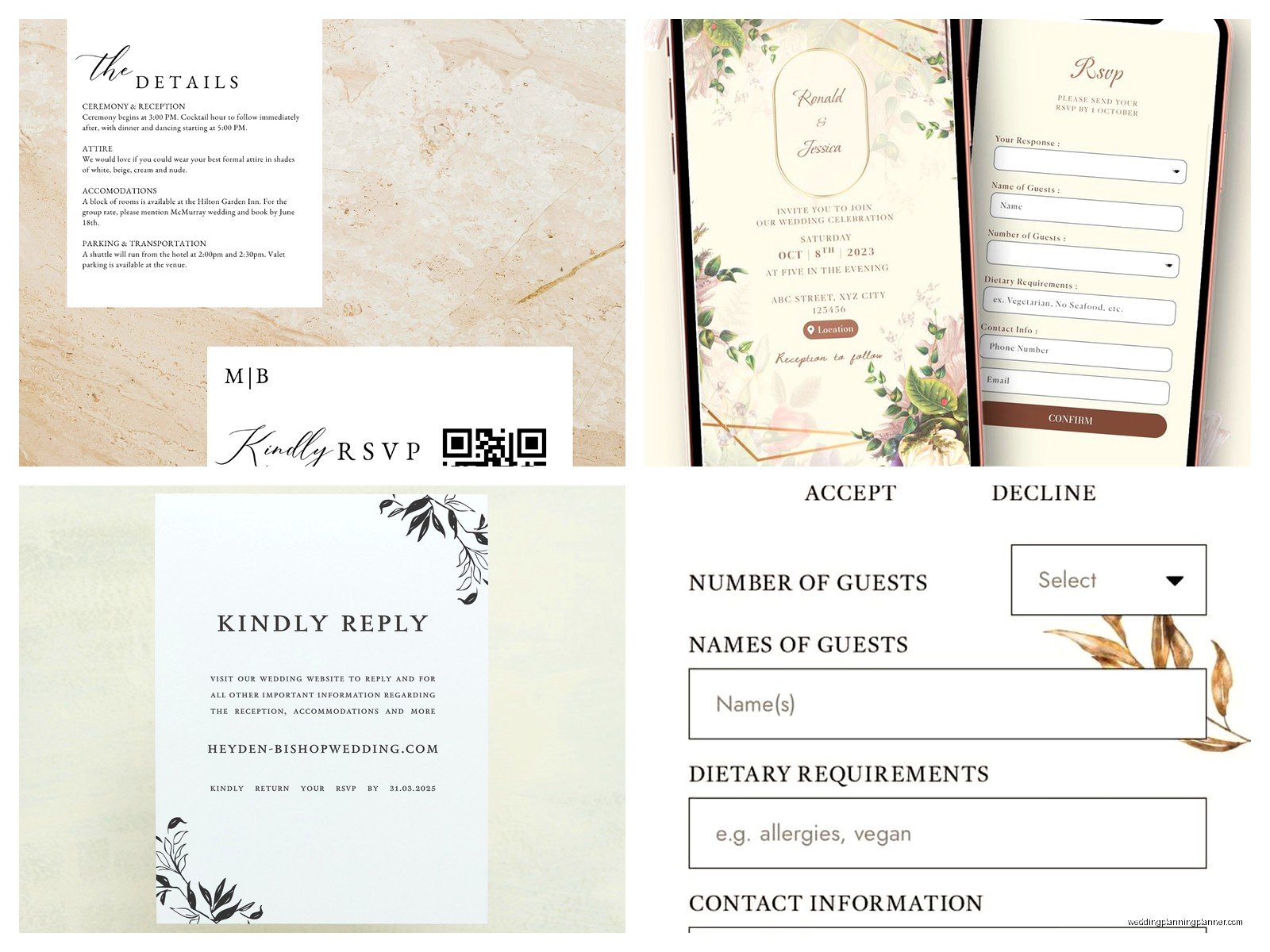
Most platforms let you customize the questions you ask in the RSVP form. The basic ones are obviously “will you attend” and meal choices if you’re doing a plated dinner, but you can also add questions about dietary restrictions, song requests, whether they’ll attend other wedding weekend events, plus one names, all that stuff. Just don’t go overboard because my cat stepped on my keyboard once while I was setting up a client’s invite and accidentally added like 15 questions and the couple didn’t notice until guests started complaining it took forever to fill out.
The Technical Setup Part Nobody Warns You About
Here’s something important: you need to collect email addresses for everyone you’re inviting, which sounds obvious but is actually kind of a pain. Start a spreadsheet early with columns for guest names, email addresses, mailing addresses (as backup), meal choices, and any other info you’ll need. Most platforms let you upload a CSV file which saves you so much time versus entering everything manually.
Double check those email addresses before you send because if someone types their email wrong when they give it to you, the invitation just goes into the void. I always recommend doing a test send to yourself and maybe your maid of honor or someone to make sure all the links work and the RSVP form does what it’s supposed to do.
The tracking dashboards are honestly the best part of digital invitations. You can see in real-time who opened your invite, who responded, who hasn’t opened it yet, and then send reminders to specific people. It’s so much better than wondering if your cousin actually got your invitation in the mail or if it’s sitting in a pile of junk mail somewhere.
Managing RSVPs and Guest Communication
Once you send your invites out, responses usually start coming in pretty quickly. The first week you’ll get like 40% of your responses from the eager people, then it slows down, then you get another wave right before the deadline from the procrastinators. Set up notifications so you get an email or text when someone responds so you can stay on top of it.
Most platforms organize responses by “attending,” “not attending,” and “no response yet.” You can usually export this data to Excel or Google Sheets which is super helpful for creating seating charts and giving numbers to your vendors. Some platforms even integrate directly with seating chart tools which is… actually I haven’t found one that does this seamlessly yet but I keep hoping.
For meal choices, make sure your descriptions are clear. Don’t just say “chicken” and “fish” because people will have questions. Say “herb-roasted chicken with seasonal vegetables” or whatever so guests know what they’re choosing. You’ll still get people who have questions but at least you tried.
Dealing with Plus Ones and Family Invitations
This is where digital invitations can get tricky and honestly where I see the most mistakes. You need to be really clear about who’s invited. If someone is invited with a plus one, address it to “Sarah Johnson and Guest” or if you know the partner’s name, use both names. If kids aren’t invited, only list the parents’ names.
The problem is some platforms make it too easy for guests to add extra people when they RSVP. Like they’ll see a spot to add a guest name and just assume they have a plus one even if you didn’t offer one. Make sure you configure your settings so that the number of guests per invitation is fixed, not flexible. Otherwise you’ll end up with people RSVPing for their entire extended family.
For families with kids, list out each person’s name if they’re invited: “The Johnson Family: Mike, Jennifer, Emma, and Lucas.” Then in your RSVP form, have separate response options for each person. This makes it crystal clear who’s invited and also helps you track kid meals versus adult meals.
Following Up and Managing Changes
About two weeks before your RSVP deadline, send a reminder to everyone who hasn’t responded yet. Every platform has this feature and it’s a lifesaver. The message should be friendly and casual like “hey we haven’t heard from you yet and need to give final numbers to our caterer soon, can you let us know if you can make it?”
After your deadline passes, you’re gonna have to personally reach out to the people who still haven’t responded. This is just part of it. Text them, call them, send a carrier pigeon, whatever works. You need those final numbers. In summer 2021 I had a bride who refused to follow up with non-responders because she didn’t want to seem pushy and we ended up short like 15 meals at the reception because people just showed up without RSVPing. Don’t be that bride.
Handling Last-Minute Changes
People will change their RSVPs. Someone who said yes will have a family emergency, someone who said no will suddenly be able to make it, someone will break up with their plus one and want to bring someone else instead. Digital platforms make these changes way easier to track than paper RSVPs where you’re crossing things out on spreadsheets.
Most platforms let guests go back and modify their RSVP up until a certain date that you set. I usually recommend turning off the ability to change responses about 10 days before the wedding because at that point you need stability for your final planning. After that cutoff, people have to contact you directly for changes.
Keep a separate notes section in your tracking system for special circumstances. Like if someone has a severe allergy or needs wheelchair access or is bringing their service dog or whatever, you need that information easily accessible when you’re talking to your vendors.
Integrating with Your Wedding Website
Your digital invitation should link directly to your wedding website where you have all the details people actually need. Hotel blocks, registry information, schedule of events, directions, parking info, dress code, all that stuff lives on the website. The invitation itself should be clean and simple.
A lot of platforms offer wedding websites as part of their package or as an add-on. It’s worth using the same platform for both so everything syncs up automatically. When someone RSVPs through your invitation, their information carries over to your website dashboard. When they update their dietary restrictions on your website, it updates in your RSVP tracking. It just makes everything less… I don’t know, less fragmented?
Make sure your wedding website URL is easy to remember and spell. Don’t do something like “sarahandmikestietheknot2024.com” because people will mistype it. Keep it short like “sarahandmike2024.com” or use one of those custom short links that the platform provides.
The Etiquette Questions Everyone Has
People always ask me if digital invitations are rude or too casual. Honestly, it depends on your crowd and your wedding vibe. If you’re having a black-tie wedding at a historic mansion, yeah maybe spring for paper invitations or at least do a hybrid approach. But for most weddings, especially if your guest list skews younger or you’re having a more casual celebration, digital is totally fine.
Some older relatives might be confused by digital invitations or might not check their email regularly. For those guests, you can either send a paper version separately or have someone like a parent or sibling help them RSVP online. Most platforms let you RSVP on behalf of another guest if you have the right permissions.
The “save the date” versus actual invitation timing is the same for digital as it is for paper. Send save-the-dates about 6-8 months before your wedding, then send the actual invitation about 2-3 months before. Don’t send your invitation too early because people forget or their plans change.
Advanced Features Worth Considering
Some platforms have really cool features that go beyond basic RSVP tracking. Greenvelope has this thing where you can see exactly when each guest opened their invitation which feels slightly stalker-ish but is actually useful for knowing who you need to follow up with. Paperless Post lets you schedule your invitations to send at a specific date and time so you can set it up in advance and not worry about it.
Text message reminders are becoming more common too. Some platforms will automatically send a text to guests a week before the wedding reminding them of the date and time. This is actually super helpful because people live on their phones and might not check their email regularly but they definitely see texts.
Multi-event management is crucial if you’re doing like a welcome party, ceremony, reception, and next-day brunch. You can set up separate RSVP questions for each event so you know who’s coming to what. This is way better than trying to track multiple events through different systems or god forbid, paper RSVPs for multiple events.
Cost Breakdown and Budgeting
Digital invitations are generally cheaper than paper but they’re not always free. Paperless Post designs range from free to like $300+ depending on how many guests you have and which design you pick. Greenvelope is usually between $150-400 for a full suite. Minted digital invitations start around $1-2 per invite. Joy is free for basic stuff but add-ons cost extra.
Compare that to paper invitations which typically cost $3-8 per invite just for printing, plus envelopes, postage (which is like 66 cents now for regular mail, more for oversized or heavy invites), and response card postage. For 150 guests you’re easily spending $600-1200 on paper invitations. Digital usually comes in under $300 total.
The time savings is honestly worth considering too even though it’s not a direct cost. You’re not stuffing envelopes, addressing them by hand or printing labels, dealing with the post office, tracking down returned mail, or manually entering RSVP responses from cards into a spreadsheet. All that time adds up when you’re planning a wedding and already stressed about everything else.
Troubleshooting Common Issues
Spam filters are the enemy. Sometimes your beautiful invitation ends up in someone’s spam folder and they never see it. This happens more with free email services like Gmail or Yahoo. Tell your guests to check their spam folders if they haven’t received the invitation within a few hours of you sending it. You can also send a heads up text like “hey wedding invite coming to your email today, watch for it!”
Technical difficulties happen. Someone’s phone won’t load the invitation properly, or the RSVP form won’t submit, or they can’t figure out how to change their response. Have a backup plan like a Google Form with the same questions that you can send to people who are having issues. Or just take their RSVP over text or phone and enter it manually into your system.
Privacy concerns come up occasionally. Some guests don’t want their email address shared or don’t want to click links from services they don’t recognize. Most platforms have privacy policies that protect guest information, but you can mention this in your invitation if you think it’ll be an issue for your crowd. Or again, just offer alternative RSVP methods for people who are uncomfortable with the digital format.
The biggest thing is just staying organized and checking your dashboard regularly. Set aside time like once a week to review responses, follow up with non-responders, and update your planning spreadsheets. It’s actually kinda satisfying watching those responses roll in and seeing your guest count solidify. Makes the whole thing feel more real and less abstract, you know?
