
Planning Guides, Style Guide
Save the Date Wedding Website: Event Site Announcement
May
Getting Your Save the Date Wedding Website Actually Done
So you’re engaged and now everyone’s asking when the wedding is and you’re like “I literally just got engaged three days ago” but also you know you need to get info out there somehow. Wedding websites for save the dates are honestly one of the smartest moves you can make early on because then you have ONE place to send people instead of answering the same questions forty-seven times.
The thing is, your save the date website doesn’t need to be this massive project. I had a bride in spring 2023 who spent THREE MONTHS agonizing over her website before she even sent save the dates and by the time she launched it, half her guest list had already booked conflicting trips because they didn’t know her date. Don’t be that person.
What Actually Needs to Be on a Save the Date Website
Here’s what you gotta include right away:
- Your names (obviously)
- The wedding date
- The city/general location
- A way for people to contact you with questions
- Hotel block info if you’ve got it
That’s it for the bare minimum. You can always add more later, which is kinda the whole point of having a website instead of just paper save the dates. I always tell couples to think of their website as a living document, not a one-and-done thing.
Choosing Your Platform
There are like a million wedding website builders now. The big ones are The Knot, Zola, Minted, Withjoy, and honestly they’re all pretty similar. I’ve seen couples use all of them successfully, but here’s what actually matters when you’re picking:
Free vs Paid: Most platforms have free versions that are totally fine for save the dates. The paid versions usually just remove ads or give you a custom domain name (like yournames.com instead of yournames.theknot.com). For save the dates, the free version is usually enough.
Registry Integration: Some platforms want you to do your registry with them too. That can be convenient or annoying depending on where you actually want to register. Zola really pushes this hard.
Mobile Optimization: This one’s huge because like 80% of your guests are gonna look at your site on their phones. Make sure whatever you pick looks good on mobile. The Knot and Withjoy are both pretty solid for this.
What really annoyed me last year was when couples would pick these boutique website builders that looked gorgeous on desktop but were absolutely terrible on phones, and then they’d be confused why no one was reading their detailed directions or…
Your Website URL Situation
You need to pick a URL that’s easy to type and remember. Here’s the deal: if your names are Emma Rodriguez and James Patterson, don-t do emmaandjamespatterson2025.com because that’s way too long and people will definitely misspell it.
Better options:
- emmajames2025.com
- rodriguezpatterson.com
- jameslovesemma.com (if you’re into that)
- Just use the free subdomain the platform gives you
Honestly? The free subdomain is totally fine. I’ve never had a guest complain that a couple used theknot.com/emmajames instead of a custom domain. Save your money for things that actually matter.
What to Write on Each Section
The Homepage
Keep this super simple. You want your names, a photo of you two (engagement photos are perfect but literally any nice photo works), and the date/location displayed clearly. Some couples put a countdown timer which is cute but also kinda stresses people out when they realize they only have 8 months to plan travel.
One thing I learned from a stressful situation in summer 2021 when a couple’s website crashed because they embedded like fifteen high-resolution photos on the homepage: less is more. One or two photos max on the homepage. You can have a gallery page if you really wanna show off all your engagement photos.
Our Story Section
This is optional for save the dates honestly. Some couples include it, some wait until later. If you do include it, keep it short. Nobody needs your entire relationship history from first Tinder message to proposal. A few paragraphs max. Your aunt might read the whole thing but most people are just there for the logistical info.
Travel and Accommodations
This is actually the most important section for save the dates because it’s why you’re sending them early in the first place. People need time to book flights and hotels.
Include:
- Nearest airport with the code (like “Fly into Nashville International Airport – BNA”)
- Hotel room blocks with booking codes and deadlines
- A range of hotel options at different price points if possible
- General info about the area if it’s somewhere people aren’t familiar with
Pro tip: actually test your hotel booking links before you publish the site. I’ve seen so many couples include dead links or wrong booking codes and then guests can’t access the room block and it’s a whole mess.
Things To Do
You don’t need this section right away but if you’re getting married somewhere touristy or if people are traveling from out of town, it’s helpful to include some restaurant and activity recommendations. My cat knocked over my coffee all over my laptop right when I was updating a couple’s “Things To Do” section once and I lost like an hour of work, so umm, save your work frequently I guess.
FAQ Section
Even for save the dates, a basic FAQ helps cut down on the repetitive questions. Start with these:
- What’s the dress code? (even if you just say “formal details to come”)
- Are kids invited? (be clear about this early)
- When will formal invitations be sent?
- Is there a wedding hashtag?
- Who do I contact with questions?
The kids question is a big one to address early because people need to arrange childcare well in advance, especially if they’re traveling.
Design Choices That Actually Matter
Look, I’m gonna be honest: most wedding websites look pretty similar and that’s fine. You don’t need to reinvent the wheel here. But here are the design things that actually affect usability:
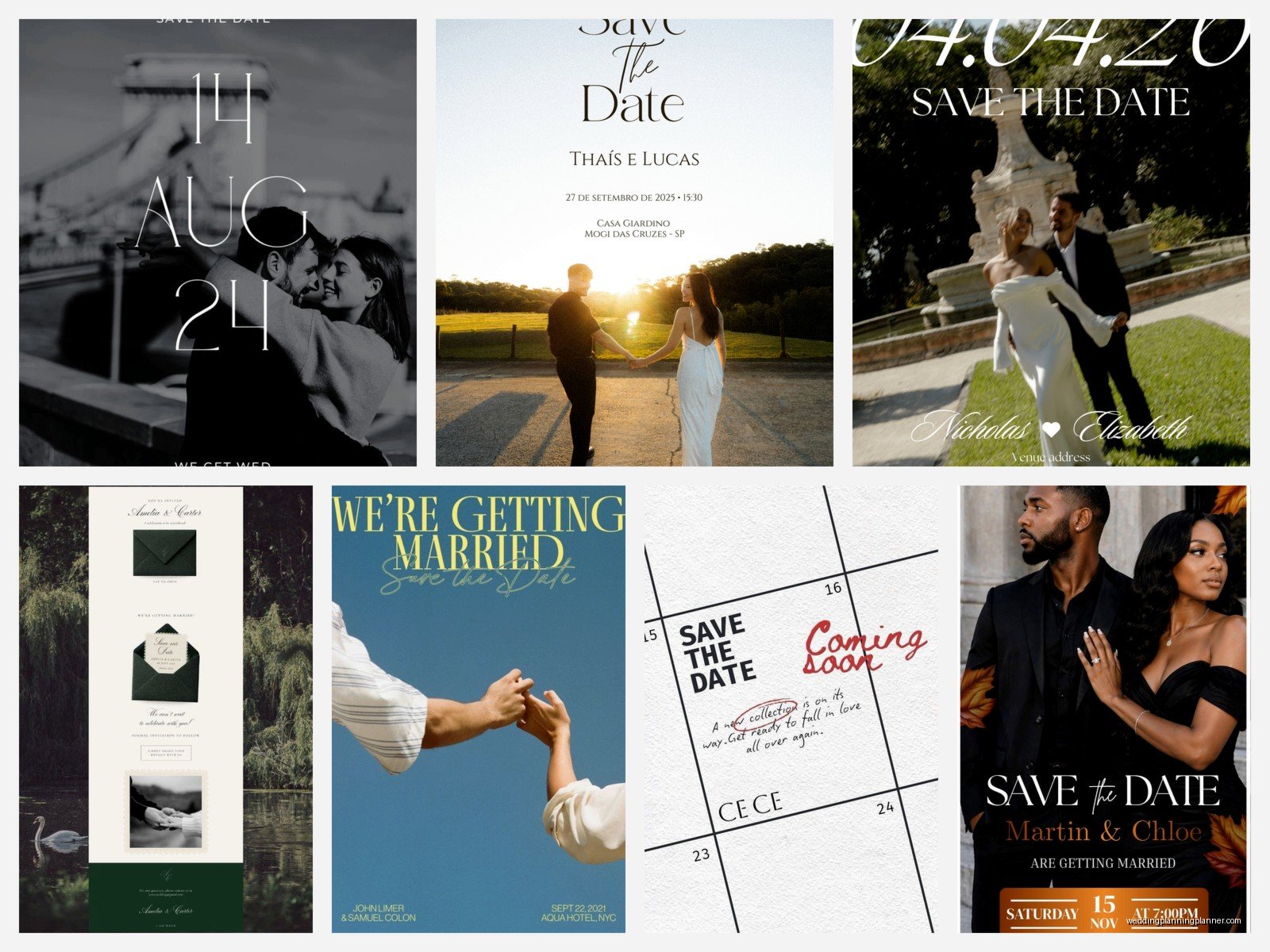
Readable Fonts: Those super fancy script fonts that look gorgeous? Half your guests can’t read them, especially on mobile. Use script for headers maybe, but keep body text in something normal.
Color Contrast: If your text is light gray on a white background, people with any vision issues literally cannot read it. Make sure there’s enough contrast. Most website builders have templates that handle this well, but if you’re customizing colors, keep readability in mind.
Navigation: Keep your menu simple. Save the dates don’t need seventeen different pages. You probably need like 4-6 pages max at this stage.
Photos and Loading Speed
This is where people mess up constantly. They upload massive photo files straight from their photographer and then wonder why their site takes forever to load. You need to compress your images before uploading them. There are free tools like TinyPNG or you can just… honestly most wedding website platforms compress them automatically now, but if your site is loading slowly, photos are usually the culprit.
Connecting Save the Dates to Your Website
So you’ve built your website, now what? You need to actually direct people to it with your save the dates. Here are your options:
Paper Save the Dates with URL: This is the most common. You send a physical card that includes your wedding date and location, plus your website URL where people can get more details. Make sure the URL is printed clearly and in a readable font size.
Digital Save the Dates: You can skip paper entirely and just email people a link to your website. This works well if your crowd is tech-savvy and you’re trying to save money or be eco-friendly. Just make sure you have correct email addresses for everyone.
Combo Approach: Some couples do paper save the dates for older relatives and digital for everyone else. Totally valid.
The QR Code Thing
QR codes on paper save the dates are actually pretty useful now that everyone got used to them during COVID. People can just scan it with their phone camera instead of typing out a URL. If you include a QR code, make sure you also include the written URL for people who don’t wanna mess with QR codes.
Timing and Updates
Get your basic website up before you send save the dates. Sounds obvious but I’ve had couples send save the dates with a URL that just leads to a “coming soon” page for weeks. That defeats the entire purpose.
Your timeline should look something like:
- Get engaged
- Set a date and book your venue
- Create basic wedding website with date, location, and travel info
- Send save the dates 6-8 months before the wedding (or earlier for destination weddings)
- Update website as you have more details
- Send formal invitations 2-3 months before
You’ll keep updating your website throughout your engagement. As you get more details finalized – like specific venue address, ceremony time, reception info, registry – you just add them to the site. That’s why having a website is so much easier than trying to cram everything onto paper invitations.
What You Can Add Later
Don’t stress about having everything perfect for save the dates. These can all wait until closer to the wedding:
- Full schedule of events
- Wedding party bios
- Detailed directions and parking info
- Registry links (though some couples include this early)
- RSVP functionality (this usually goes live when invitations go out)
- Menu details or dietary restriction forms
Common Mistakes to Avoid
Making it too complicated too early: You don’t need every detail figured out for save the dates. Just give people the basic info they need to hold the date and start planning travel.
Forgetting to proofread: I once had a couple send save the dates with their website URL spelled wrong. They had to send a correction email to 150 people. Check everything twice before you send anything out.
Not testing on mobile: Seriously, look at your site on your phone before you launch it. Click every link. Make sure everything works.
Including too much text: Nobody’s reading your five-paragraph essay about how you met. Keep text short and scannable. Use bullet points.
Waiting too long: The point of save the dates is to give people advance notice. If you wait until all your details are perfect, you’ve missed the window where they’re actually useful.
Password Protection Question
Some platforms let you password-protect your site. You probably don’t need this unless you’re having a very private event or you’re worried about randos finding your site. Most couples just make their site public because it’s easier for guests. If you do use a password, make it simple and include it on your save the dates.
Technical Stuff You Might Wonder About
You don’t need to know how to code or anything to make a wedding website. All the major platforms are drag-and-drop. If you can use Instagram, you can build a wedding website.
Most platforms also have mobile apps now so you can update your site from your phone, which is convenient when you’re out and about and think of something to add.
One thing about analytics: some platforms show you how many people are visiting your site. This can be interesting but also don’t obsess over it. Just because someone hasn’t looked at your website doesn’t mean they’re not coming to your wedding.
Keeping Your Site Updated
Set a reminder to check your website every few weeks and make sure all the info is still current. Hotel blocks get filled, booking codes expire, things change. There’s nothing worse than a guest trying to book a hotel room with an expired code and not being able to reach you about it.
Also make sure you’re checking any contact forms or email addresses you include on the site. If guests are reaching out with questions and you’re not seeing them, that’s a problem.
The main thing is just to get something basic up there so people have the info they need, and then you can always make it prettier or add more details later. I’ve seen couples spend months perfecting their website before launching it and honestly nobody cares if it’s absolutely perfect. They just wanna know when and where to show up. Start simple, launch it with your save the dates, and build from there as you have more to share.
