
Planning Guides, Style Guide
Wedding Invitation Program: Design & Ordering Guide
Jun
Okay So Wedding Programs Are Actually Not That Complicated
Programs are one of those things couples obsess over and then half the guests leave them on the chairs anyway, but they DO serve a purpose and honestly when done right they’re kinda beautiful keepsakes. I’ve been doing this for like 15 years now and I still remember this one bride in spring 2023 who ordered 200 programs and then realized the week before her wedding that she forgot to include the actual ceremony order. Just… the couple’s names and a pretty border. That’s it. We had to rush reprint everything.
What Even Goes In A Wedding Program
So the basic structure is pretty straightforward but you’d be surprised how many people overcomplicate it or forget essential stuff. You’re gonna want the ceremony order of events, the wedding party names and their relationship to you, maybe a thank you note to parents or a memorial section for loved ones who passed, and the actual processional order if you want to get detailed.
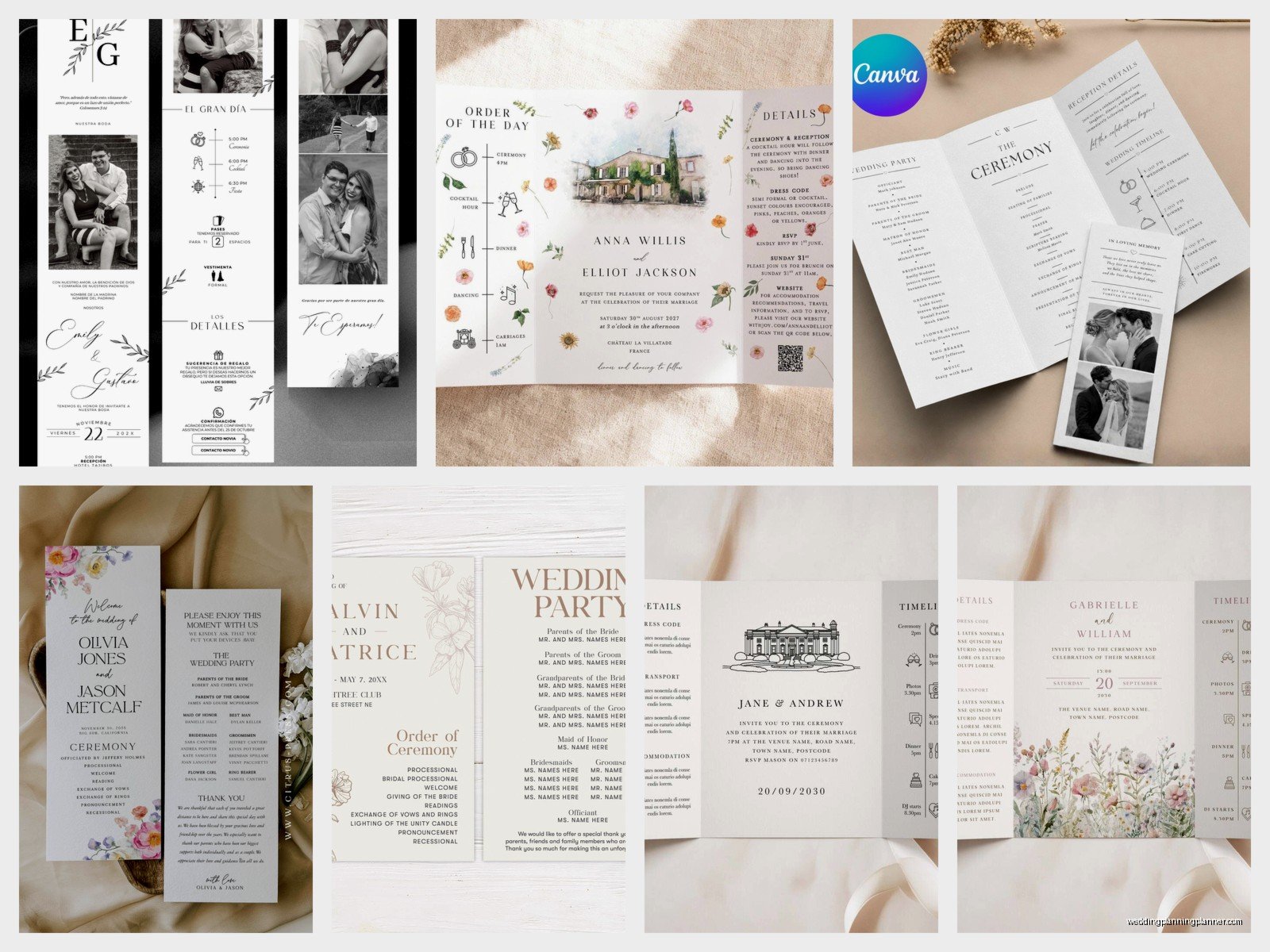
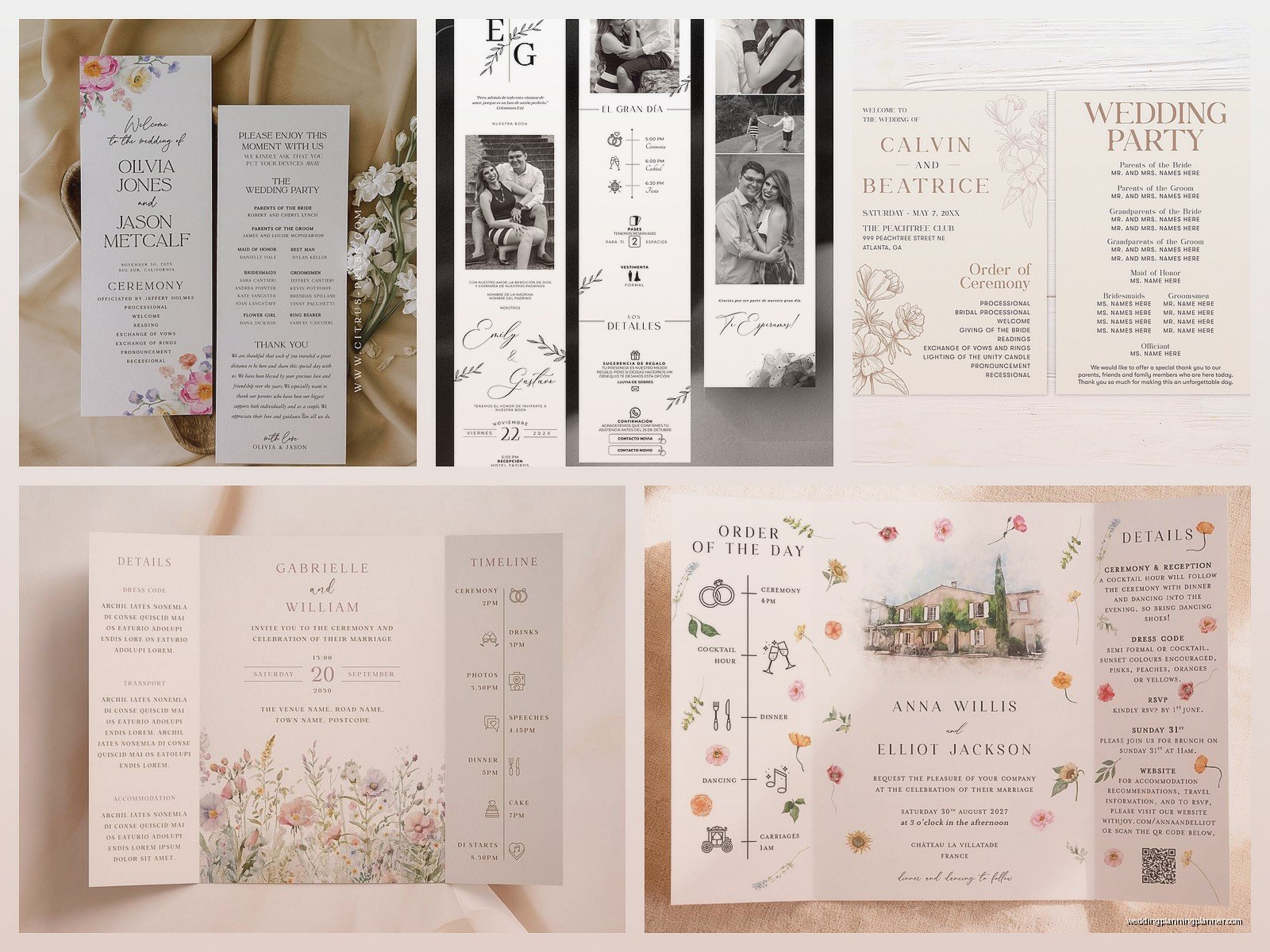
The cover should have your names, wedding date, and location. Inside left page usually has the ceremony timeline – like Processional, Welcome, Reading, Vows, Ring Exchange, Pronouncement, Recessional. Inside right or the back can have your wedding party with titles. Best Man: Jake Morrison, my college roommate. Maid of Honor: Sarah Chen, bride’s sister since birth and professional advice-giver. You get the idea.
Some couples add a “fun facts” section about how they met or their pets’ names which honestly I find a bit cheesy but if that’s your vibe go for it. My cat Pepper would definitely be mentioned if I ever got married again because she’s more important than half my relatives, but that’s just me.
Timeline For Ordering Programs
Here’s where people mess up constantly. You need your programs printed AT LEAST 3-4 weeks before the wedding. I actually recommend 6-8 weeks if you’re doing custom design work or letterpress because there’s always gonna be some back-and-forth with proofs.
If you’re ordering from an online printer like Minted or Zazzle or Etsy, add an extra week for shipping delays because I swear every single time someone orders with “plenty of time” the package gets stuck in Memphis or wherever FedEx sends things to die. During that whole 2021 situation with supply chain issues? Don’t even get me started. I had programs arriving the DAY of weddings and I was driving them to venues myself.
DIY printing at home is fine if you’re having under 50 guests and you have a decent printer, but test print everything first. The number of times I’ve seen couples print 100 programs only to realize their home printer makes everything look slightly purple…
Design Choices That Actually Matter
Alright so design is where you can either keep it simple or go completely overboard. I’ve seen both work and I’ve seen both fail spectacularly.
Size and Format Options
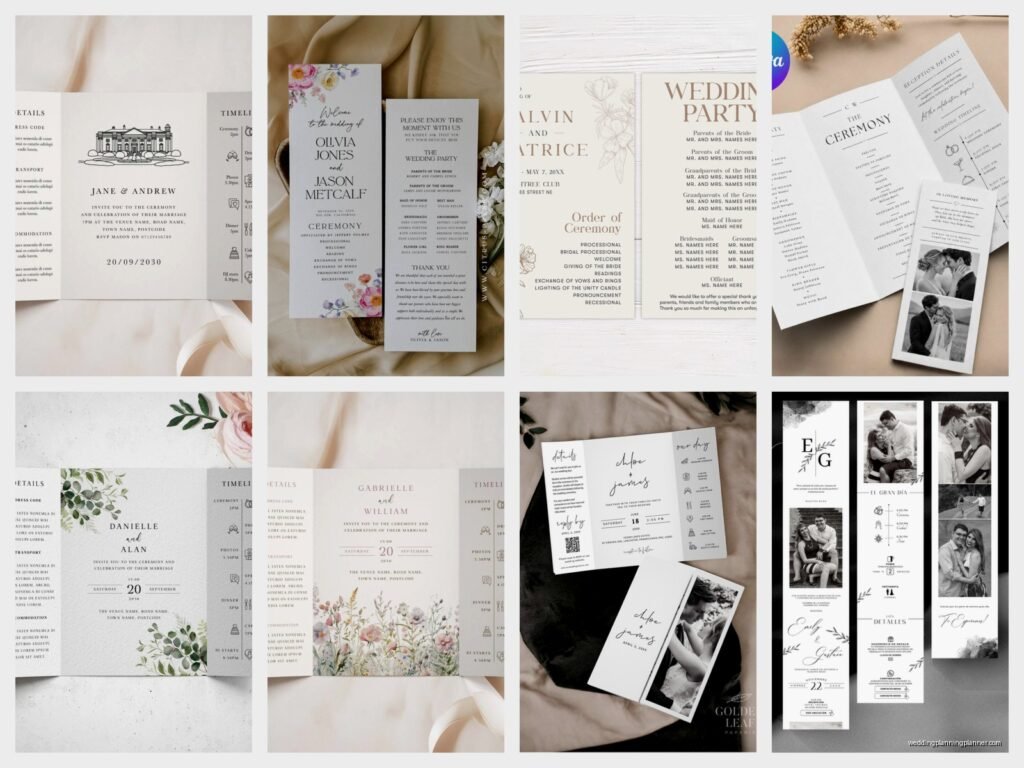
Standard sizes are 5×7 inches (flat card, single page front and back), 5.5×8.5 inches (half-letter bifold), or 8.5×11 inches folded in half (full letter bifold). The bifold is most common because it gives you four surfaces to work with without being bulky.
You can also do the fancy tri-fold or accordion style but honestly those are annoying to design, annoying to print, and guests never fold them back properly. There’s also the booklet style which is like 8-12 pages and includes everything from the couple’s love story to their favorite recipes which… okay maybe I’m judging but that seems excessive for a 30-minute ceremony.
For outdoor weddings I always suggest a sturdier cardstock because wind exists and watching programs blow across a lawn during the processional is not the vibe anyone wants. At least 100lb cardstock, maybe 110lb if you can afford it.
Paper and Printing Methods
This is where costs really vary and what annoys me is when couples don’t understand why letterpress costs $8 per program when Vistaprint charges $1.50. They’re completely different products!
Digital printing is your most affordable option – it’s what online printers use, looks clean and professional, works great for photos and colorful designs. Offset printing is similar but better quality for large quantities (like 200+).
Letterpress is that gorgeous debossed look where you can feel the impression in the paper. It’s traditional, it’s elegant, it’s expensive. You’re looking at $5-12 per program depending on complexity. Also you can’t really do full-color photos with letterpress, it’s more about simple designs and text.
Foil stamping adds metallic elements – gold, silver, rose gold, copper. Pretty but adds $2-4 per piece to your cost. Thermography gives you that raised ink effect that kinda looks like engraving but isn’t as pricey.
I usually tell couples to match their program printing style to their invitations if possible, but honestly if your invitations were super fancy and programs are gonna blow your budget, nobody’s gonna judge you for doing simple digital programs. Everyone’s looking at the couple getting married, not analyzing your printing methods.
Color Schemes and Fonts
Match your wedding colors but don’t go crazy. Two to three colors max or it starts looking like a kindergarten art project. If your wedding colors are burgundy and gold, use those as accents but keep the main text black or dark gray for readability.
Fonts are where I see people make the biggest mistakes. That super curly script font might look romantic on Pinterest but if your 70-year-old grandmother can’t read it without her glasses, it’s not functional. Use script fonts for names and headers only, then switch to a clean serif or sans-serif for the actual program content.
And please, PLEASE don’t use more than two different fonts. Maybe three if one is just for a small accent. I once had a client who used seven different fonts and it looked like a ransom note.
What To Include Beyond The Basics
So you’ve got your standard ceremony order and wedding party, but here’s some other stuff people often add that actually enhances the program instead of just filling space.
Honoring Loved Ones
A small section that says “In Loving Memory” with names of family members or friends who passed away is really meaningful. Keep it simple – just names, maybe years. Some couples add a quote or a short sentence like “Forever in our hearts” but you don’t need a whole paragraph.
You can also acknowledge parents and grandparents who are present. “With gratitude to our parents for their love and support” or listing them out by name. This is especially important if you have divorced parents or blended families – everyone wants to feel recognized.
Explaining Ceremony Elements
If you’re having a religious ceremony or cultural traditions that some guests might not be familiar with, a brief explanation helps everyone feel included. Like if you’re doing a Unity Candle, explain what it symbolizes in one sentence. If you’re incorporating a traditional Irish handfasting or Jewish chuppah, give context.
I worked with a couple who had a Hindu-Catholic fusion ceremony and their program included a whole page explaining the different rituals. Guests actually came up afterward saying how much they appreciated understanding what was happening instead of just watching confused.
Thank You Notes
A short thank you to guests for attending is nice. Something like “Thank you for sharing this special day with us. Your presence means the world.” Don’t write a novel. One to three sentences max.
Some couples thank specific people – parents for support, wedding party for standing beside them, the officiant. That’s fine but keep it brief because remember, guests are reading this while waiting for the ceremony to start, not settling in with popcorn for story time.
Ordering Process Step By Step
Okay so here’s how you actually go from “we should probably get programs” to having them in your hands.
Step One: Finalize Your Ceremony Details
Don’t order programs until you’ve confirmed everything with your officiant. I mean EVERYTHING. The order of events, who’s reading what, song choices if you’re listing those, how you’re doing the processional. Because reprinting programs because you forgot the ring bearer’s name or you switched the order of your readings is just throwing money away.
Get your wedding party finalized too. If you’re still waiting to see if your cousin accepts being a bridesmaid, hold off on ordering programs.
Step Two: Choose Your Designer or Template
You’ve got a few options here. Hire a designer (expect to pay $200-500 for custom work), use an online template service like Canva or Template.net (free to $30), or purchase a template from Etsy ($8-25 usually) that you customize yourself.
If your stationery designer did your invitations, ask them about programs. They’ll already have your design elements and can create matching programs quickly, though you’ll pay for their time. If you’re DIY-ing it, Canva has honestly gotten pretty good and you can create something professional-looking in like an hour if you’re not too picky.
Make sure whatever you design fits standard paper sizes to avoid custom cutting charges. Standard 8.5×11 that you fold in half is the most economical.
Step Three: Proof Everything Multiple Times
Read through your program. Then read it backward. Then have your fiancé read it. Then have your mom read it. Then have a friend read it. Typos happen and once you’ve stared at the same names for an hour, you stop seeing mistakes.
Common errors I catch constantly: misspelled names (even in your own wedding party, people mess this up), wrong dates (writing 2024 when you mean 2025), wrong venue names, missing someone from the wedding party, incorrect titles (calling someone Bridesmaid when they’re actually Matron of Honor).
Also check that everything is grammatically consistent. Don’t capitalize “Bridesmaid” in one place and write “bridesmaid” in another. Pick a style and stick with it.
Step Four: Order With Buffer
Order 10-15% more than your guest count. So if you’re expecting 150 people, order 170 programs. Some will get damaged, some guests grab extras as keepsakes, you’ll want some for your own memory box, and there’s always that person who accidentally spills coffee on theirs before the ceremony even starts.
If you’re ordering from an online printer, most have quantity discounts so jumping from 150 to 175 might only cost an extra $20 anyway.
Cost Breakdown Reality Check
Let’s talk actual numbers because I think couples are often shocked by program costs or they drastically underestimate.
Budget option: Vistaprint, Staples, or FedEx Office printing. You’re looking at $0.50-1.50 per program for basic digital printing on decent paper. For 150 programs that’s $75-225.
Mid-range: Minted, Zazzle, Artifact Uprising, or similar online stationery companies. These have better paper quality and design options. Expect $2-4 per program. For 150 that’s $300-600.
High-end: Custom designer with letterpress or foil stamping. This is $5-15 per program depending on complexity. For 150 programs you’re spending $750-2,250.
DIY at home: If you buy cardstock, print at home, maybe add some ribbon. You could do 150 programs for under $50 if you’ve got a good printer and some time. Just… again, test your printer first because home printers are temperamental.
Where You Can Cut Costs
Skip the fancy printing methods and go digital. Use a template instead of hiring a designer. Print at a local print shop instead of a fancy stationery company – I’ve gotten beautiful programs printed at my local FedEx Office for a fraction of what online retailers charge.
Do single-page programs instead of bifold if you don’t have much content. Less paper, less folding, less cost.
Or honestly? Skip programs entirely. I know I’m a stationery consultant and I’m supposed to push for all the paper goods, but real talk – if your budget is tight, programs are one of the easier things to eliminate. Put your ceremony information on a sign at the entrance instead. Lots of couples are doing this now and guests survive just fine without a paper program in their hands.
Common Mistakes I’m Tired Of Seeing
Too much text. Nobody wants to read three paragraphs about how you met on a dating app and your first date was at Olive Garden and then you adopted a dog together. Save that for your wedding website.
Unreadable fonts in light colors. Gray text on ivory paper looks elegant until you realize nobody over 40 can read it in dim church lighting.
Forgetting to include the location on the cover if you’re having multiple events – I’ve seen programs that just say “Emma & Josh, June 15th” but don’t mention it’s at St. Mary’s Church which matters when guests are trying to figure out if they grabbed the right program or the reception menu.
Ordering too close to the deadline and then panicking. Just… don’t do this to yourself or to me because I’m the one you’ll call freaking out.
The DIY Route Details
If you’re printing at home, you need good cardstock (I like 80lb or 100lb), a decent inkjet or laser printer, a paper trimmer if you’re doing anything other than standard sizes, and a bone folder if you’re doing bifolds because creasing cardstock with your fingernail looks sloppy.
Print a test run on regular paper first to check alignment. Then print one on cardstock to check colors and quality. THEN print your full batch. I cannot stress this enough because reprinting 150 programs because you didn’t test is gonna make you cry and waste a ton of expensive cardstock.
Let them dry for at least 30 minutes before handling if you’re using an inkjet printer or the ink will smudge. Ask me how I know this. Actually don’t, it’s traumatic.
If you’re adding ribbons or embellishments, do those in batches while watching TV or something because it’s tedious but also kinda mindless once you get in a rhythm.
Digital Programs Are A Thing Now
Okay so this is newer but some couples are doing digital programs through their wedding website or a QR code at the ceremony entrance. Guests scan the code and get the program on their phone.
Pros: Eco-friendly, no printing costs, easy to update last-minute, can include way more content and even photos or videos.
Cons: Older guests might struggle with it, you need good cell service at your venue, it feels less special and keepsake-worthy, and people will be on their phones during your ceremony which… actually you probably don’t want that.
I’ve only had a handful of couples do fully digital programs and it worked okay but most still print at least some paper versions for grandparents and older relatives who aren’t comfortable with the tech.
Hybrid approach
What’s becoming more popular is printing minimal simple programs with just the basics, then having extended content (full love story, detailed wedding party bios, photos) available digitally via QR code. Best of both worlds if you want to include lots of info without printing a 12-page booklet.
The logistics of actually distributing programs depends on your venue and setup. Usually ushers hand them out as guests arrive, or you put them in a basket at the entrance with a sign. If you’re doing a outdoor ceremony you might need to weigh down the basket so they don’t blow away – learned that one the hard way at a beach wedding in summer 2021 when programs scattered across the sand like confetti and we were chasing them down during the processional music.
