
Planning Guides, Style Guide
Rehearsal Dinner Evite: Digital Pre-Wedding Party Invites
May
Getting Your Rehearsal Dinner Evites Right
So you’re doing digital invites for the rehearsal dinner and honestly? Smart move. I’ve watched way too many couples stress about mailing formal rehearsal dinner invitations when literally everyone’s already getting a wedding invite in the mail. Like, save the postage and your sanity.
First thing you gotta know is that Evite specifically is just one platform, but people use it as like a catch-all term now for any digital invite. You’ve also got Paperless Post, Greenvelope, Punchbowl, even Canva has invite options. I had this bride in spring 2023 who kept saying “I sent the Evite” but she’d actually used Paperless Post and we had this whole confusing conversation about RSVPs because I was looking at the wrong platform. Anyway, the point is figure out which service you’re actually using first.
Why Digital Makes Sense For Rehearsal Dinners Specifically
The rehearsal dinner guest list is usually smaller and more intimate—wedding party, immediate family, sometimes out-of-town guests if you’re feeling generous. These are people you probably text regularly or at least have email addresses for. You don’t need the formality of a mailed invitation for something that’s essentially a nice dinner the night before.
Plus the timeline is tighter. Your rehearsal is probably happening the day before your wedding, and you’re likely finalizing details like a month out, maybe six weeks if you’re super organized. Digital invites can go out 3-4 weeks before and that’s totally fine. Try doing that with printed invites and you look like you forgot about your own event.
Picking Your Platform
Evite is free for basic designs which is great if budget’s tight. The designs are… fine. They’re not gonna win design awards but they work. You get RSVP tracking, can message guests, add event details. It does have ads though which kinda cheapens it if I’m being honest.
Paperless Post is my personal favorite even though you pay per “coin” for premium designs. The designs are actually beautiful—like they have stuff from real designers and brands. You can customize colors, fonts, all that. The interface feels more upscale. For a rehearsal dinner at a nice restaurant, it just looks more appropriate than a free Evite with cartoon champagne glasses.
Greenvelope is the middle ground. Better designs than Evite, not as pricey as Paperless Post can get. They plant a tree for every invite which is cute if you’re into that.
Canva is interesting because you design it yourself and then either send through their system or just download and text/email it. More control but also more work. I had a bride who designed this gorgeous Canva invite and then just texted it to everyone individually which was… a choice. No RSVP tracking that way, she was just collecting responses in her texts and it became a mess.
What Information You Actually Need On There
This seems obvious but you’d be surprised. I’ve seen invites that forget to include the actual restaurant name or—and this drives me insane—ones that say “details to follow” for literally everything. Like, why did you send the invite then?
Must-haves:
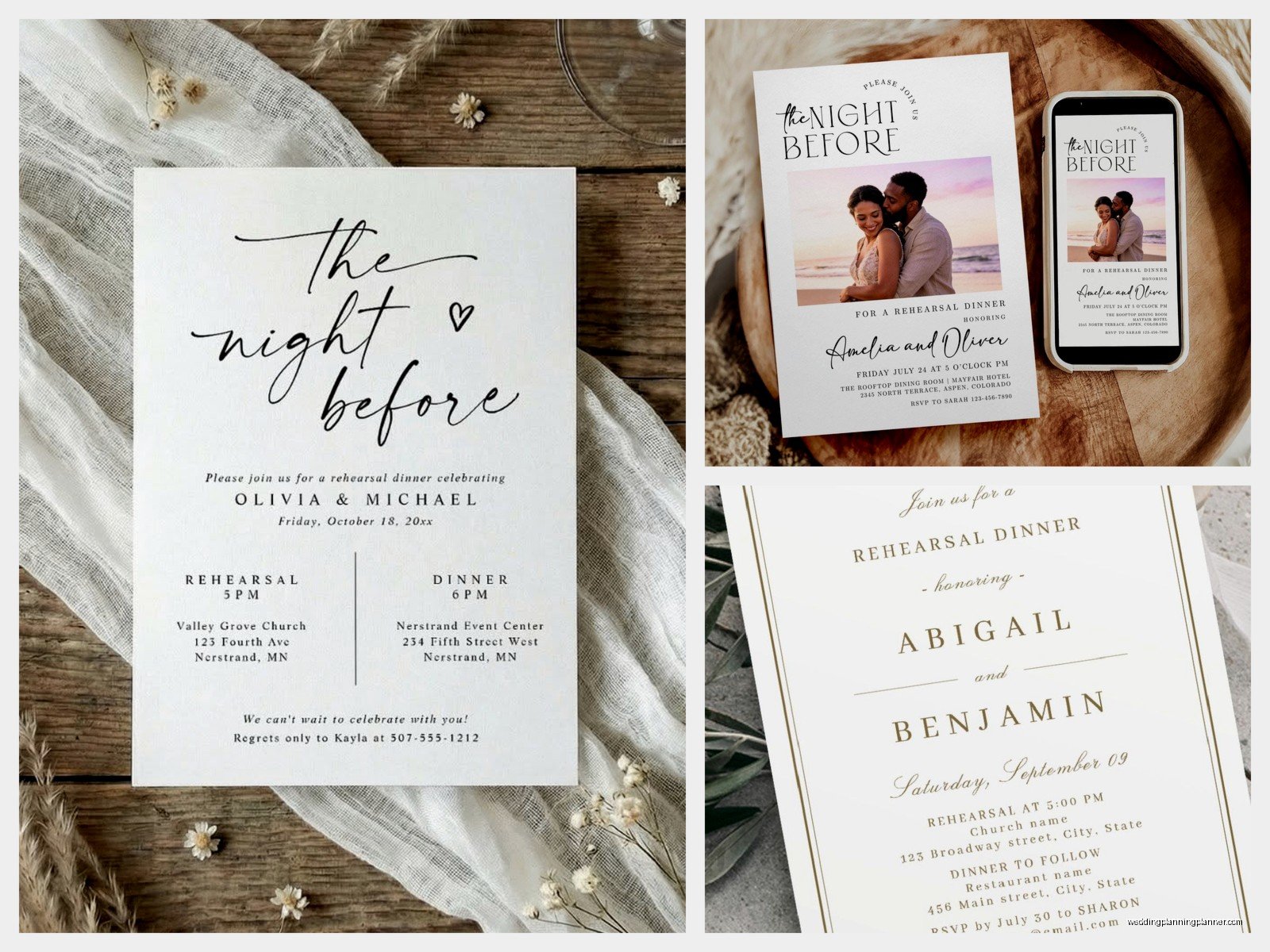
- Event name (Rehearsal Dinner, Pre-Wedding Dinner, whatever you’re calling it)
- Date and time (include both start time and if there’s an end time)
- Full venue address—and I mean the actual street address, not just “Giuseppe’s Restaurant”
- Dress code because people will ask
- RSVP deadline (make it at least a week before so you can give the restaurant a headcount)
- Your contact info or whoever’s hosting
Nice-to-haves:
- Parking information
- Link to restaurant website or menu
- Note about who’s hosting (traditionally the groom’s parents but it’s 2024, could be anyone)
- Whether plus-ones are invited or not—be specific about this
The Wording Situation
You can be way more casual with rehearsal dinner invite wording than wedding invites. Actually, please be more casual because overly formal wording on an Evite just looks weird.
Something like: “Join us for dinner the night before the big day! We’re gathering the wedding party and family to celebrate before Emily and Jordan tie the knot.”
Or: “Rehearsal Dinner for the Smith-Jones Wedding. Let’s eat, drink, and practice not tripping down the aisle.”
You don’t need the whole “Mr. and Mrs. So-and-So request the pleasure of your company” thing. That level of formality on a digital platform feels like wearing a ball gown to brunch.
Design Choices That Don’t Look Cheap
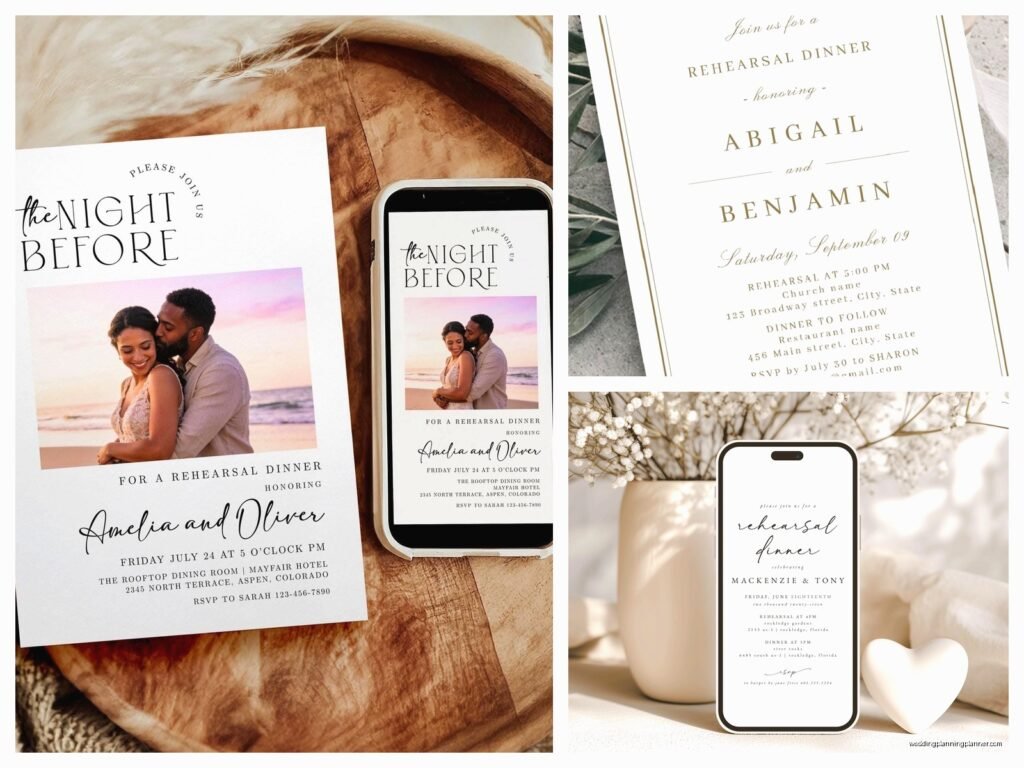
Even on free platforms, you can make choices that look intentional. Skip anything with clip art or cartoons unless that’s genuinely your vibe. Look for designs with actual photography or simple, clean layouts.
Match your colors to your wedding colors if possible—it creates cohesion. But also like, don’t stress if the exact shade of dusty blue isn’t available. Close enough works.
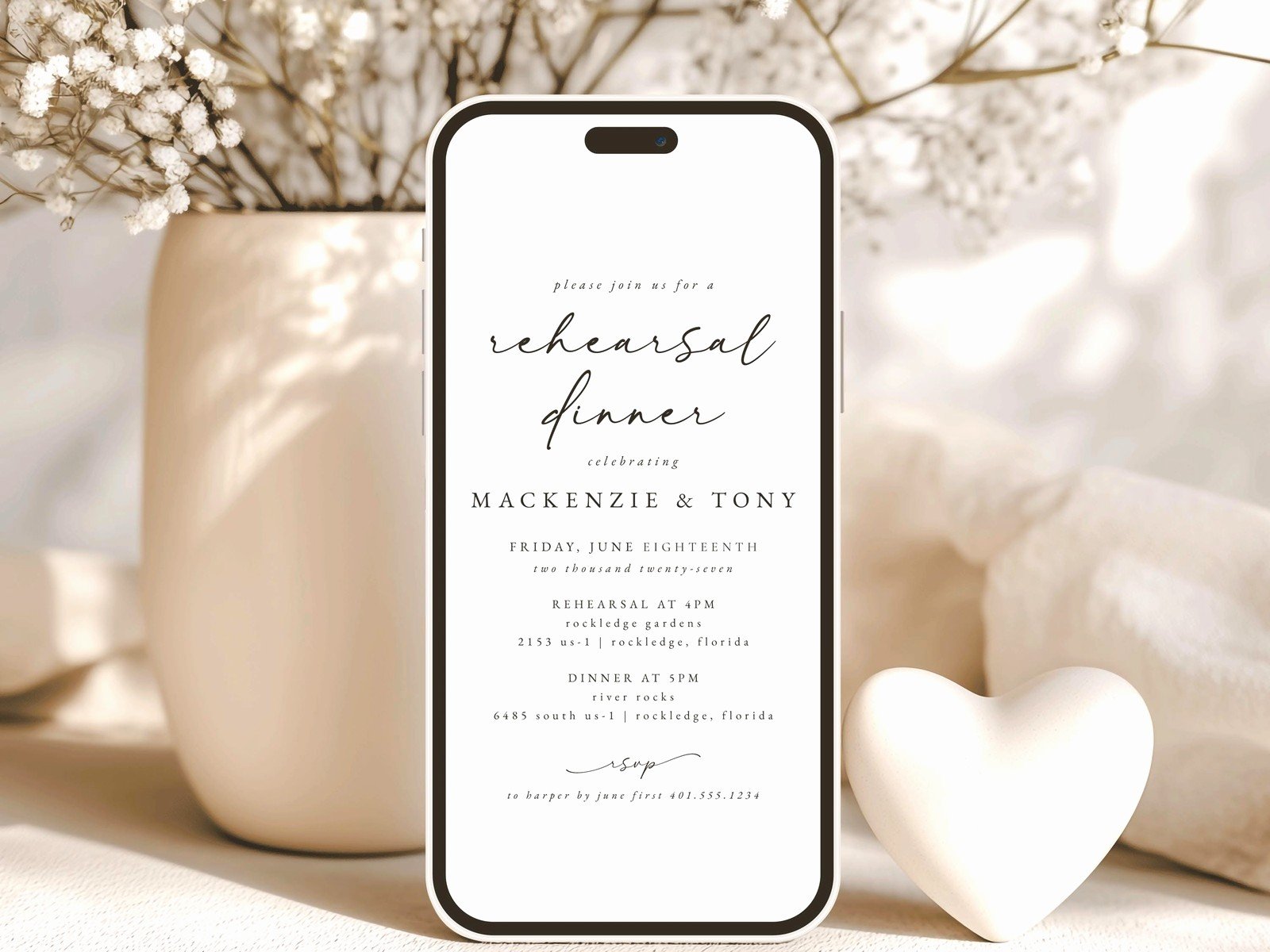
Keep text readable. I’ve seen people choose these elaborate script fonts where you literally cannot tell what the address says. Your grandma needs to be able to read this on her phone.
One photo of you two is nice but you don’t need a whole engagement shoot gallery. Save that for the wedding website.
Timing When To Send These Out
Three to four weeks before is the sweet spot. Earlier than that and people might forget. Later and you’re stressing about collecting RSVPs.
I send mine on a Tuesday or Wednesday morning because weekends get lost in people’s personal email chaos and Monday everyone’s recovering from the weekend. Mid-week, mid-morning, people are at their desks procrastinating anyway and they’ll actually open it.
Send a reminder about a week before with the final details. Most platforms let you message everyone who’s RSVP’d yes. Include stuff like “parking is limited so carpool if possible” or “restaurant is business casual” or whatever last-minute info people need.
The RSVP Tracking Part
This is honestly the best part of digital invites. You can see in real-time who’s opened it, who’s responded, who’s ignoring you.
Set your RSVP deadline for about 10 days before the event. Gives you time to follow up with non-responders and get a final count to the restaurant.
Most venues need final numbers 72 hours ahead but I always try to give them a week because things change and someone always texts the day before like “can I actually bring my boyfriend?”
The tracking shows you who opened the invite but didn’t respond, which is super helpful for follow-up. You can send a gentle “hey, just checking if you got the rehearsal dinner invite!” text.
What Annoyed Me About This Whole Thing
Okay so summer 2021, I had a groom’s mother who insisted on using Evite but then ALSO printed out copies of the Evite and mailed them because she “wasn’t sure everyone would see the email.” Which like… then why are we using Evite? Just print invitations! We ended up with total confusion because some people RSVP’d on the Evite, some people called her directly after getting the printed copy, and nobody knew the actual headcount. The restaurant was annoyed, we had to add a table last minute, it was a whole thing.
Either commit to digital or don’t. Don’t try to do both because you’ll just create more work.
Handling The Guest List Drama
Rehearsal dinners are tricky because there’s no hard rule about who gets invited. Wedding party and immediate family are standard. But then what about your aunt who’s traveling from across the country? Your best friend from college who’s not in the wedding party but is coming to the rehearsal? Your officiant?
My advice is decide your criteria and stick to it. “Wedding party, immediate family, and out-of-town guests” is common. Or “anyone who’s at the actual rehearsal plus their partners.”
Be specific when you address the invites. If someone’s partner isn’t invited, address it just to them. If kids aren’t invited, don’t include their names. People should be able to figure it out but also… they won’t, so be prepared for “is this a family thing?” questions.
The Tech Support You’ll Need To Provide
Someone’s dad won’t be able to open the link. Someone’s grandma will need help RSVP-ing. This is just gonna happen.
I usually include in the invite something like “Having trouble RSVP-ing? Text Sarah at 555-0123” so there’s a human backup option.
Also some email providers flag these invites as spam or promotional mail. Tell people to check those folders if they don’t see it. Or just text them “hey, digital invite is in your email” when you send it out.
Cost Breakdown If You’re Wondering
Evite: Free for basic, $20-50/year for premium ad-free
Paperless Post: $0.50-4.00 per invite depending on design (yes, really, per invite)
Greenvelope: $150/year for unlimited sends
Punchbowl: Free for basic, $6/month for premium
For a rehearsal dinner with like 30 guests, you’re looking at spending anywhere from $0 to maybe $40 unless you go crazy with premium Paperless Post designs. Way cheaper than printing and mailing even basic invitations.
When Digital Actually Isn’t The Right Choice
If your rehearsal dinner is super formal at like a country club or fancy hotel, printed invitations might actually be more appropriate. The formality should match.
If a significant portion of your guest list is older and not tech-savvy, you’re gonna spend more time helping people RSVP than you would’ve spent addressing envelopes.
If the hosts (like traditional groom’s parents) are really against digital invites, just… let it go. It’s not worth the fight. Some battles aren’t worth fighting and invitation format is one of them.
My Actual Process When I Do This
I pick the platform first based on budget and design needs. Then I draft all the wording in a Google doc so I can edit without being in the platform—much easier to catch typos and get feedback from whoever else is involved.
Then I build out the invite, preview it on both desktop and mobile because they look different, and send a test to myself and like one other person to make sure all the links work.
I compile the guest list with full names and email addresses in a spreadsheet first. Makes it easier to upload and also you have a backup if something goes wrong with the platform.
Send it out, then immediately check that it actually sent. Platforms glitch sometimes.
I check RSVPs every few days and follow up with non-responders about a week before my RSVP deadline. Usually just a casual “Hey! Did you get the rehearsal dinner invite? Would love to know if you can make it!”
My cat stepped on my keyboard while I was doing this for a wedding last month and somehow changed everyone’s RSVP to “no” and I didn’t notice for like two days, so umm, maybe keep your pets away from your laptop during this process.
Extra Features That Might Matter
Some platforms let you create a custom URL which is nice if you want something like “evite.com/smith-rehearsal” instead of a random string of characters.
Guest messaging features let people comment or chat with each other which can be fun for coordinating rides or whatever, but can also turn into chaos. Your call.
Calendar integration is clutch—guests can add the event straight to their Google or Apple calendar from the invite. Less chance they forget.
Host reminders where the platform emails you about upcoming RSVP deadlines or event dates. Helpful if you’re juggling a million wedding things and might forget to check.
Accessibility Stuff Nobody Thinks About
Make sure your color contrast is readable. Light gray text on white background looks elegant but is impossible to read for people with vision issues.
Include text descriptions if you’re using design elements that convey information. Like if your design has icons for dinner, drinks, dancing—spell those out too.
Phone numbers should be clickable links so people can call directly from their phone.
Addresses should link to maps.
These are small things but they make the experience way better for guests and reduce the number of questions you’ll get.
What To Do When People Don’t RSVP
They won’t. Like, a solid 30% won’t RSVP by your deadline. Just accept this now.
Send a message through the platform first. If that doesn’t work, text them. If that doesn’t work, call. If that doesn’t work… honestly I usually just mark them as “no” because if someone can’t be bothered to respond to three attempts, they’re probably not coming anyway or they’re so disorganized you don’t want to count on them.
The restaurant needs numbers. You’re gonna have to make executive decisions about non-responders. Better to undercount slightly than overcount and pay for empty seats.
